Home / Examples / Electric Analysis [Coulomb] / Example 2: Parallel-Plate Dielectric Capacitor
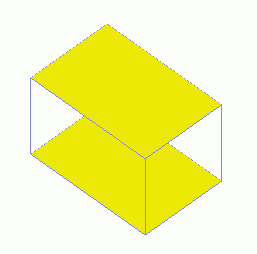
The capacitor analyzed in this example consists of two parallel conductive plates with an alumina block placed between them.
The capacitance, the electric field, and the equipotential map are solved.
Unless specified in the list below, the default conditions will be applied.
Results will vary depending on Femtet version and the PC environment.
Item |
Settings |
Analysis Space |
3D |
Model Unit |
mm |
Select "Static analysis" as the potential is static.
Item |
Settings |
Solver |
Electric Analysis [Coulomb] |
Analysis Type |
Static Analysis (Capacitance) |
Options |
N/A |
The electric field exists outside the analysis domain. Therefore the open boundary condition below is applied initially.
Tab |
Setting Item |
Settings |
Open Boundary Tab |
Type |
Absorbing Boundary |
Order of Absorbing Boundary |
1st-order |
Create a cubic solid body for the dielectric capacitor.
Set the boundary condition of the electric potential on the top and bottom faces of the capacitor.
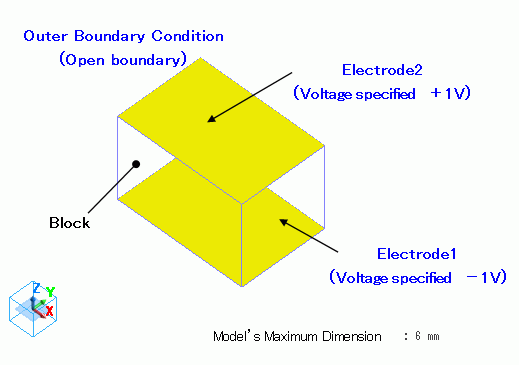
A block of alumina is defined.
Body Number/Type |
Body Attribute Name |
Material Name |
1/Solid |
Block |
001_Alumina * |
* Available from the material DB
Boundary Condition Name/Topology |
Tab |
Boundary Condition Type |
Settings |
Electrode1/Face |
Electric |
Electric Wall |
Electric Potential Specified -1 [V] |
Electrode2/Face |
Electric |
Electric Wall |
Electric Potential Specified +1 [V] |
Outer Boundary Condition * |
Electric |
Open Boundary |
|
To set Outer Boundary Condition, go to the [Model] tab
and click [Outer Boundary Condition]  .
.
To see the calculation results, go to the [Results] tab

and click [Table] .
.
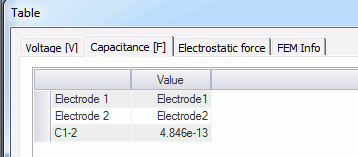
The vectors of the electric field are shown below.
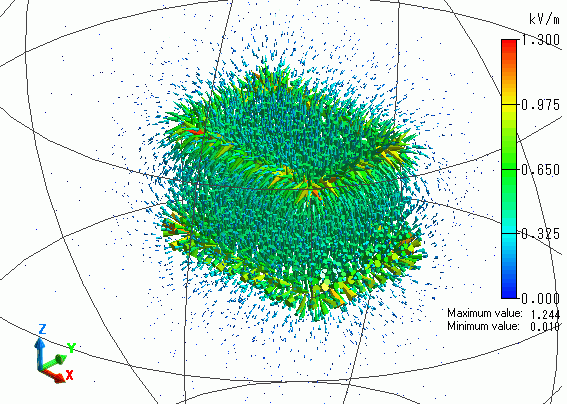
The electric field is generated between two electrodes.
The vectors of the electric flux density are shown below.
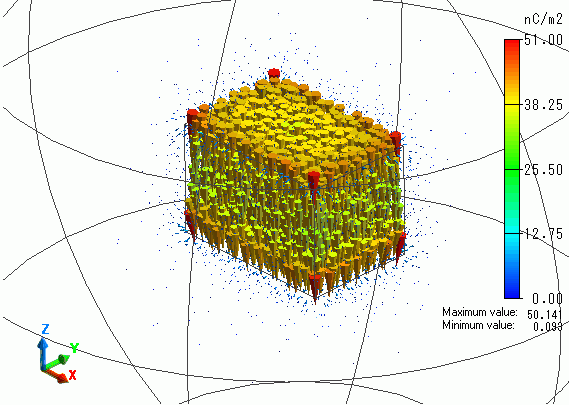
The electric flux density is concentrated in the alumina block.