Home / Examples / Electric Analysis [Coulomb] / Example 5: Electric Field Created by Point Charge
In this example, a point charge is placed in the air.
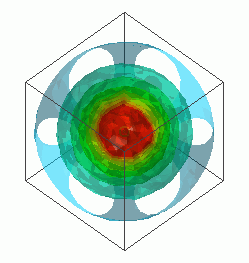
The electric field created by it is solved and the equipotential map is acquired.
Unless specified in the list below, the default conditions will be applied.
Results will vary depending on Femtet version and the PC environment.
Item |
Settings |
Analysis Space |
3D |
Model Unit |
mm |
Select "Static analysis" as the electric potential is static.
Item |
Settings |
Solver |
Electric Analysis [Coulomb] |
Analysis Type |
Static Analysis (Capacitance) |
Options |
N/A |
In actuality, the electric field exists outside the analysis domain. Therefore the open boundary condition below is applied initially.
Tab |
Setting Item |
Settings |
Open Boundary Tab |
Type |
Absorbing boundary |
Order of Absorbing Boundary |
1st-order |
As ambient air cannot be created automatically for this model, automatic creation is deselected.
(There are vertex bodies only. Ambient air size is not fixed automatically.)
Tab |
Setting Item |
Settings |
Mesh Tab |
Ambient Air Creation |
Create ambient air automatically: Deselect |
A solid body represents the air. A vertex body placed in the center of the air represents the point charge.
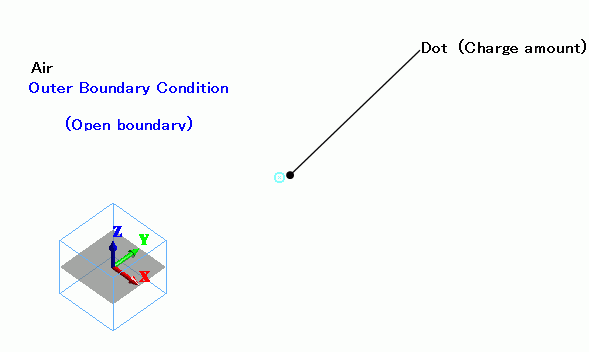
The vertex body is used to set the point charge in the body attribute.
Assign a material to it even though the material property does not affect the simulation.
Body Number/Type |
Body Attribute Name |
Material Name |
0/Solid |
Air |
000_Air(*) |
1/Vertex |
Dot |
000_Air(*) |
* Available from the material DB
Point charge is set in the body attribute.
Body Attribute Name |
Charge |
Dot |
Electric Charge: Electric Charge 1x10-12 [C] |
Boundary Condition Name/Topology |
Tab |
Boundary Condition Type |
Settings |
Outer Boundary Condition * |
Electric |
Open Boundary |
|
To set Outer Boundary Condition, go to the [Model] tab
and click [Outer Boundary Condition]  .
.
The isosurface contour of the electric potential is shown below.
At Minimum/Maximum Values on the Contour tab of [Graphics Setup], deselect [Automatic] and set 0.5 => 5.0.
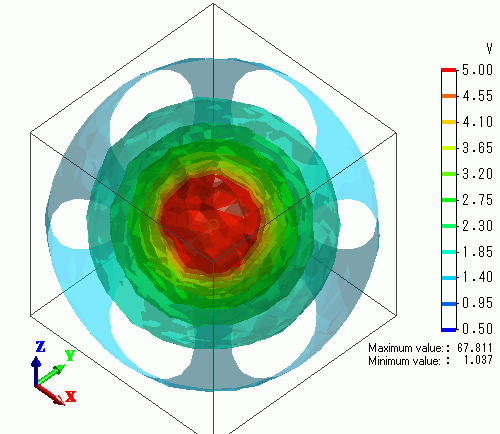
The figure shows the equipotential map.