General
Home / Examples / Electromagnetic Analysis [Hertz] / Example 12: TE-Mode Dielectric Resonator (2D)
TE01δ-mode dielectric resonator of the example 11 is analyzed with axisymmetric modeling.
The resonant frequencies and the electromagnetic field distribution are solved.
Unless specified in the list below, the default conditions will be applied.
Results will vary depending on Femtet version and the PC environment.
Item |
Settings |
Analysis Space |
Axisymmetric |
Model Unit |
mm |
Item |
Settings |
Solver |
Electromagnetic Analysis [Hertz] |
Analysis Type |
Resonant Analysis |
Transverse Mode |
TE |
The resonant analysis is set up as follows.
Tab |
Setting Item |
Settings |
Mesh Tab |
Element Type |
2nd-order Element |
Resonant Analysis |
Number of Modes |
3 |
Approximated Frequency |
0 [Hz] |
|
Input Power |
1.0 [W] |
The model is basically a cross section of the example 11's model. DR is a sheet body, a section of dielectric resonator. It is surrounded with rectangular AIR.
The resonator's hole is represented by another rectangular AIR.
The boolean operation will be performed during the meshing automatically, and the model is recognized as a section of the holed resonator.
The "electric wall" boundary condition is set on the axis of symmetry.
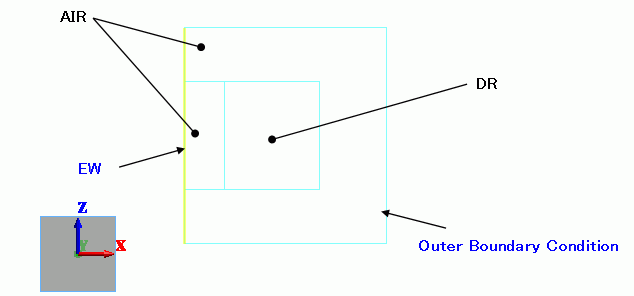
Body Number/Type |
Body Attribute Name |
Material Name |
0/Sheet |
AIR |
000_Air(*) |
1/Sheet |
DR |
DR_Mat |
2/Sheet |
AIR |
000_Air(*) |
3/Wire |
Imprinting body |
|
* Available from the material DB
The material property of DR_MAT is set up on the permittivity tab as follows.
Material Name |
Tab |
Properties |
DR_Mat |
Permittivity |
Relative Permittivity: 40 tanD: 0 |
The electric wall is set up around the air.
The "electric wall" boundary condition is set on the axis of symmetry.
Boundary Condition Name/Topology |
Tab |
Boundary Condition Type |
Settings |
EW/Edge |
Electric |
Electric Wall |
|
Outer Boundary Condition |
Electric |
Electric Wall |
|
The resonant frequencies are output on the table.
The fundamental resonant frequency is 5.88 [GHz].
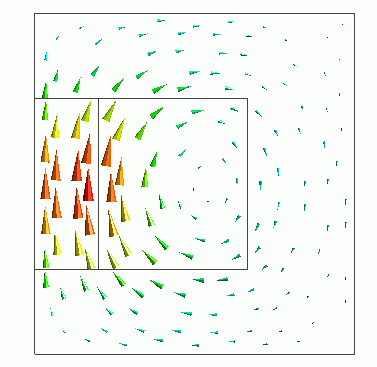
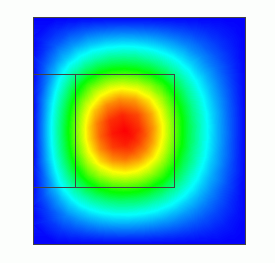
The field distributions for TE01δ mode are shown below.
On the [Results] tab,

select 0[deg] at Phase  .
.
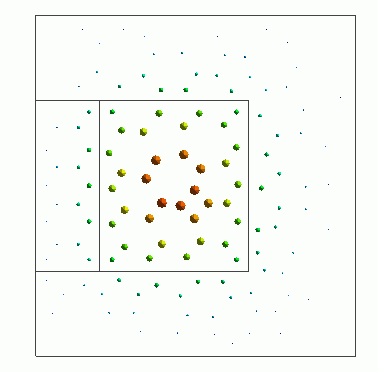
On the [Results] tab,
select 90 [deg] at Phase .