Home / Examples / Electromagnetic Analysis [Hertz] / Example 31: Murata's RF Inductor
The data is available
from Murata's web site.
S-parameters of an RF
inductor placed on a substrate are solved.
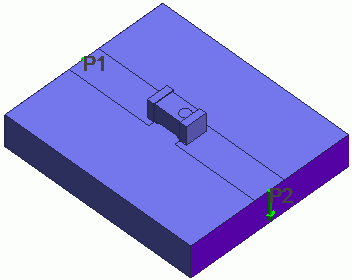
Microstrip lines connect the inductor's electrodes and the ports on the substrate.
Results will vary depending on Femtet version and the PC environment.
[How to Reduce the Calculation Time]
Item |
Settings |
Analysis Space |
3D |
Model Unit |
mm |
Item |
Settings |
Solver |
Electromagnetic Analysis [Hertz] |
Analysis Type |
Harmonic Analysis |
Harmonic Analysis tab and Open Boundary tab are set as follows.
Tabs |
Setting Item |
Settings |
Mesh |
Element Type |
2nd-order Element |
Multigrid/Adaptive Mesh Method |
Select [Apply adaptive meshing]. |
|
Frequency-Dependent Meshing |
Reference Frequency: 5x10⁹ [Hz] Select [The conductor bodies thicker than the skin depth constitute the boundary condition]. |
|
Harmonic Analysis |
Sweep Type |
Select [Log Step] |
Sweep Values |
Minimum: 1x10⁹ [Hz] Maximum: 10x109 [Hz] Division: 10 |
|
Sweep Setting |
Select Fast Sweep S-parameter Tolerance: 1x10⁻³ |
|
Input |
1.0 [W] |
|
Open boundary |
Types |
Absorbing boundary |
Order of Absorbing Boundary |
1st-order |
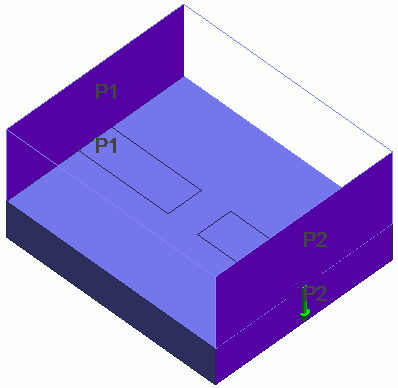
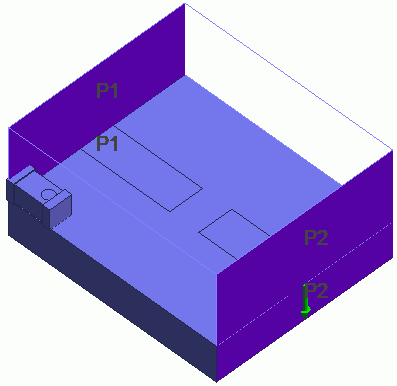
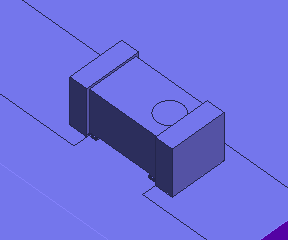
An RF inductor is placed on a substrate. Microstrip lines connect the inductor's electrodes and the ports on the substrate.
Ports are set on outermost faces.
| Whole Model | RF inductor (LQP02TN_02, LQP03TG_02 and LQP03TN_02 series) | RF inductor (LQP02TQ_02 and LQP03HQ_02 series) |
 |
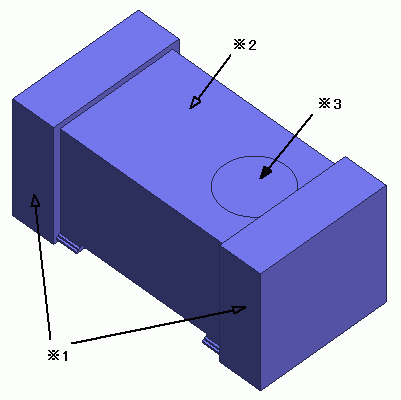 *1 External electrodes
*2 Main body
*3 Marking (indicates
the top face)
*1 External electrodes
*2 Main body
*3 Marking (indicates
the top face) |
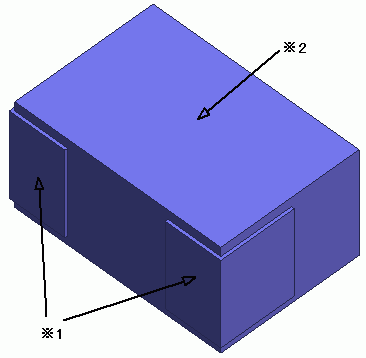 *1 External electrodes
*2 Main body
*1 External electrodes
*2 Main body |
|
|
|
 |
|
 |
|
 |
|
 |
Body Number/Type |
Body Attribute Name |
Material Name |
0/Solid |
SUBSTRATE |
006_Glass_epoxy *1 |
1-2/Sheet |
ELECTRODE |
003_Ag *1 |
3/Solid |
Inductor *2 |
Inductor *2 |
4/Solid |
AIR |
000_Air(*) |
*1 Available from the material DB.
*2 Imported CAE data
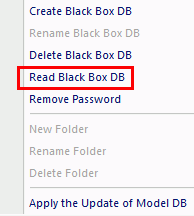
The body attributes and material properties
related to the inductor will be replaced by the black box data when the
solver runs. Therefore the settings here are irrelevant.
Boundary Condition Name/Topology |
Tab |
Boundary Condition Type |
Settings |
Port_001/Face |
Electric |
Port |
|
Port_002/Face |
Electric |
Port |
|
Outer Boundary Condition |
Electric |
Electric Wall |
|
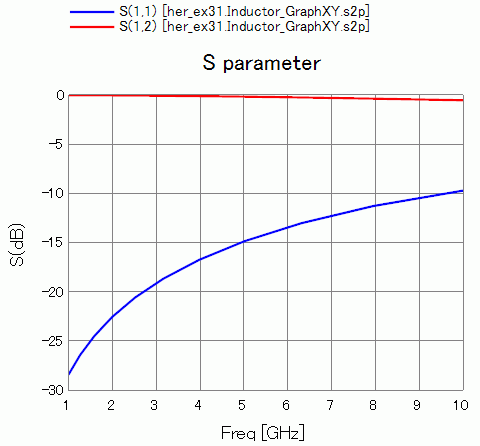
The frequency responses of S11 and S22 are shown below.