General
Home / Examples / Piezoelectric Analysis [Rayleigh] / Example 5: Acceleration
The model is a bar consisting of a metal plate and a piezoelectric plate stacked. An acceleration is applied to the bar, causing deformation.
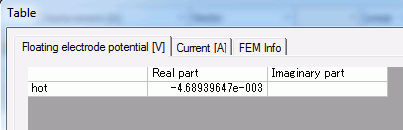
The electric potential of floating electrode and the displacement are solved.
Unless specified in the list below, the default conditions will be applied.
Results will vary depending on Femtet version and the PC environment.
Item |
Settings |
Analysis Space |
3D |
Model Unit |
mm |
Item |
Settings |
Solver |
Piezoelectric Analysis [Rayleigh] |
Analysis Type |
Static Analysis |
Options |
Select [Acceleration]. |
The acceleration tab is set up as follows.
Tabs |
Setting Item |
Settings |
Acceleration |
Acceleration |
X=Y=0.0, Z=-9.8 [m/s2] |
It is accelerated in the negative Z direction.
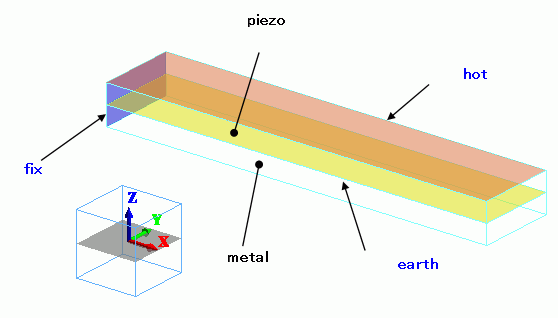
The piezoelectric and metal bars are piggybacked. The top face of the piezoelectric bar is the floating electrode (hot).
The bottom face is the electric wall set to 0 [V]. One end of the bar is mechanically fixed.
Body Number/Type |
Body Attribute Name |
Material Name |
0/Solid |
piezo |
000_P-4 * |
1/Solid |
metal |
001_Al * |
* Available from the material DB
Boundary Condition Name/Topology |
Tab |
Boundary Condition Type |
Settings |
fix/Face |
Mechanical |
Displacement |
Select all UX, UY, and UZ. UX=0, UY=0, UZ=0 |
earth/Face |
Electric |
Electric Wall |
Electric Potential Specified: Electric Potential 0 [V] |
hot/Face |
Electric |
Electric Wall |
Floating Electrode |
To view the calculation results, go to the [Results] tab

and click [Table]  .
.
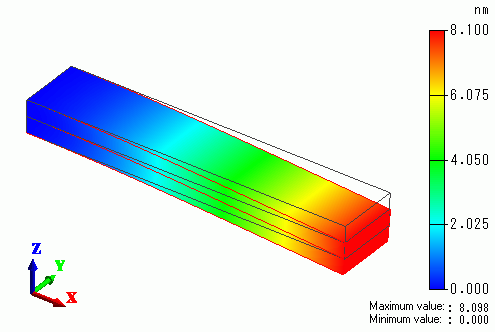
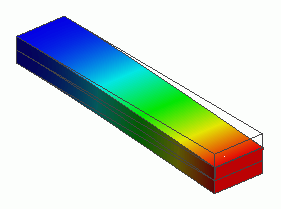
The displacement of the bar is shown below. The color contour indicates the magnitude of displacement.