Home / Examples / Piezoelectric Analysis [Rayleigh] / Example 8: Periodic Structure
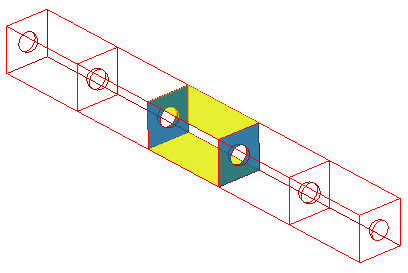
A piezoelectric bar with a periodic structure is analyzed. The analysis is done for a base unit of the periodic structure.
The periodic boundary condition is set on either face of the base unit.
Unless specified in the list below, the default conditions will be applied.
Results will vary depending on Femtet version and the PC environment.
Item |
Settings |
Analysis Space |
3D |
Model Unit |
mm |
Item |
Settings |
Solver |
Piezoelectric Analysis [Galileo] |
Analysis Type |
Resonant Analysis |
Options |
N/A |
Tab |
Setting Item |
Settings |
Resonant analysis |
Number of Modes |
3 |
|
Approximated Frequency |
0 [Hz] |
Cut the model with symmetric planes and set the periodic boundary condition to the sections. The top face is fixed at 1 [V].
The bottom face is fixed at 0 [V].

Body Number/Type |
Body Attribute Name |
Material Name |
4/Solid |
UNIT |
000_P-4 * |
* Available from the material DB
Boundary Condition Name/Topology |
Tab |
Boundary Condition Type |
Settings |
p1/Face |
Symmetry/Continuity |
Periodic |
|
p2/Face |
Symmetry/Continuity |
Periodic |
|
hot/Face |
Electric |
Electric Wall |
Electric Potential 1 [V] |
earth/Face |
Electric |
Electric Wall |
Electric Potential 0 [V] |
For the periodic boundary conditions, p1 and p2,
On the [Model] tab
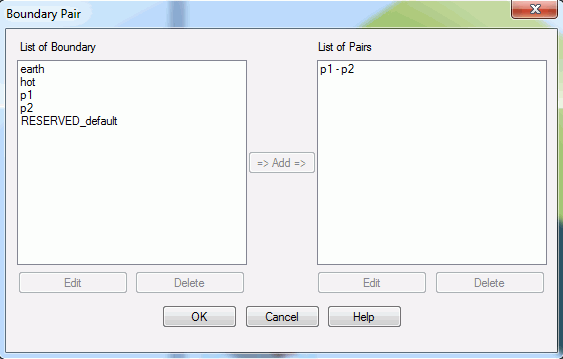
click [Boundary Pair]  and register the pair. Select p1 and p2 for registration.
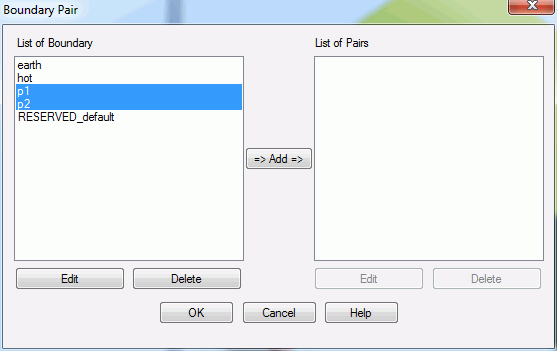
When "Add" is clicked, the dialog box below will appear. Enter the phase difference between p1 and p2.
If in-phase, it will be 0 [deg]. If completely out-of-phase, it will be 180 [deg].
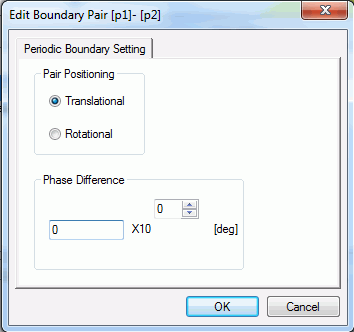
Click OK to finish.
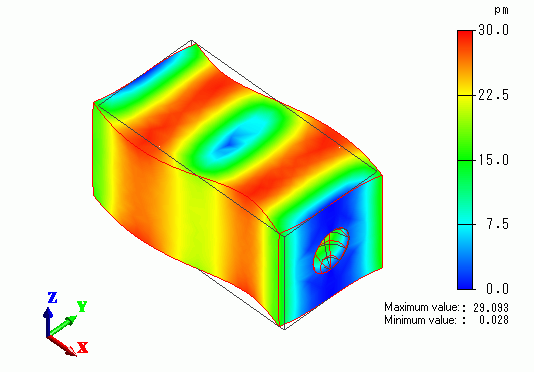
The contour diagram shows the magnitude of displacement.
The boundary pair, p1 and p2, are displaced in the same magnitude.