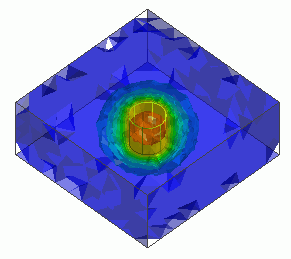
General
Home / Examples / Thermal Analysis [Watt] / Example 4: Block Containing Heating Element (Transient Analysis)
The model is the same as the example 3: A heating element is placed in a block; the ambient temperature is constant. This is a transient analysis.
The temperature distribution and the heat flux vectors are solved under the transient condition.
Unless specified in the list below, the default conditions will be applied.
Results will vary depending on Femtet version and the PC environment.
Item |
Settings |
Analysis Space |
3D |
Model Unit |
mm |
Item |
Settings |
Solver |
Thermal Analysis [Watt] |
Analysis Type |
Transient Analysis |
Options |
N/A |
The transient analysis tab is set up as follows. The number of calculation steps is 120. The timestep is 2 sec.
Therefore, the temperature distributions for 240 sec are solved.
Tabs |
Setting Item |
Settings |
||||||||
Transient Analysis |
Table |
|
||||||||
Initial Temperature |
0 [deg] |
The same as the example 3. The body attributes, the material properties and the boundary conditions are the same as well.
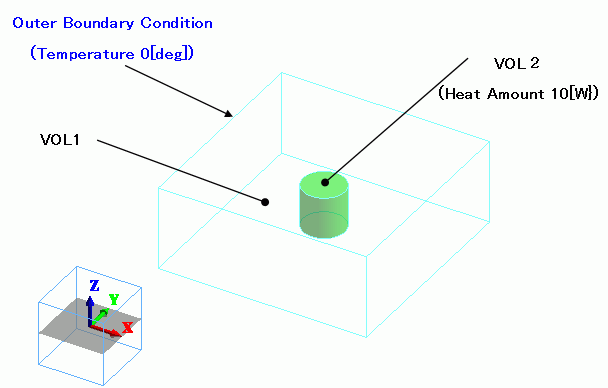
A cylindrical heating element (Nichrome) is placed in the center of a glass-epoxy block.
The heat source is set in the body attribute. The ambient temperature is set to 0 [deg] in the external boundary condition.
Body Number/Type |
Body Attribute Name |
Material Name |
Mesh Size |
0/Solid |
VOL1 |
006_Glass_epoxy * |
|
1/Solid |
VOL2 |
109_Nichrome * |
2 |
* Available from the material DB
The heat source of VOL2 is set up as follows.
Body Attribute Name |
Tab |
Settings |
VOL2 |
Heat Source |
10 [W] |
Boundary Condition Name/Topology |
Tab |
Boundary Condition Type |
Settings |
Outer Boundary Condition |
Heat |
Temperature |
0 [deg] |
To set Outer Boundary Condition, go to the [Model] tab
and click [Outer Boundary Condition]  .
.
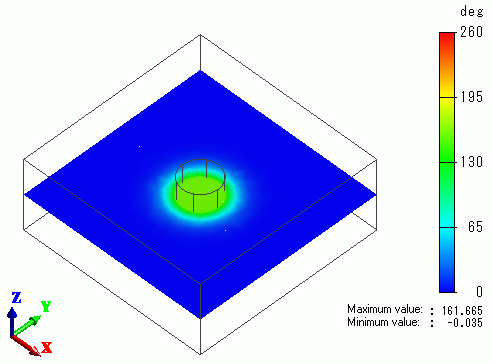
A cross section's temperature distributions in 40 sec, 160 sec and 240 sec are shown below.
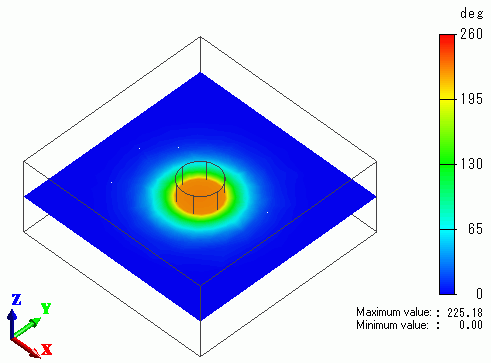
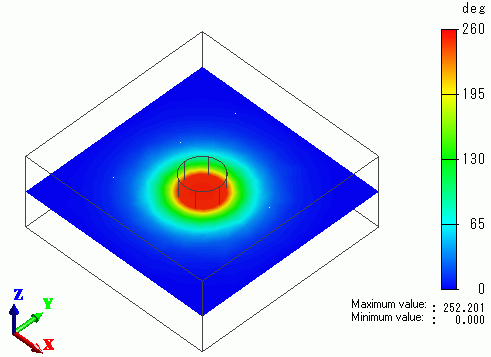
The temperature vs. time is plotted for the center of the heating element.
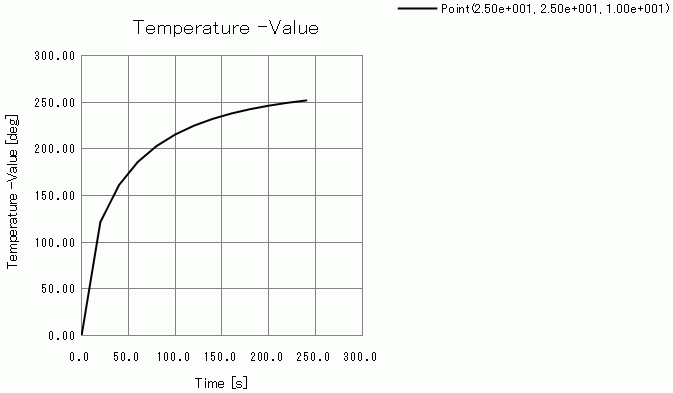
The temperature is stabilizing at around 250 deg in 240 sec.