Home / Examples / Thermal Analysis [Watt] / Example 6: Heat Radiation by Natural Convection (Transient Analysis)
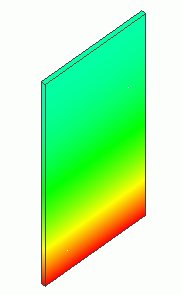
The model is the same as the example 5: The heat radiation from an aluminum plate with its bottom face fixed at a specified temperature is analyzed. This is a transient analysis.
The temperature distribution and the heat flux vectors are solved.
Unless specified in the list below, the default conditions will be applied.
Results will vary depending on Femtet version and the PC environment.
Item |
Settings |
Analysis Space |
3D |
Model Unit |
mm |
Item |
Settings |
Solver |
Thermal Analysis [Watt] |
Analysis Type |
Transient Analysis |
Options |
N/A |
The transient analysis tab is set up as follows. The number of calculation steps is 30. The timestep is 10 sec.
Therefore, the temperature distributions for 300 sec are solved.
Tab |
Setting Item |
Settings |
||||||||
Transient analysis |
Table |
|
||||||||
Initial Temperature |
25 [deg] |
The same as example 5. The body attributes, the material properties and the boundary conditions are the same as well.
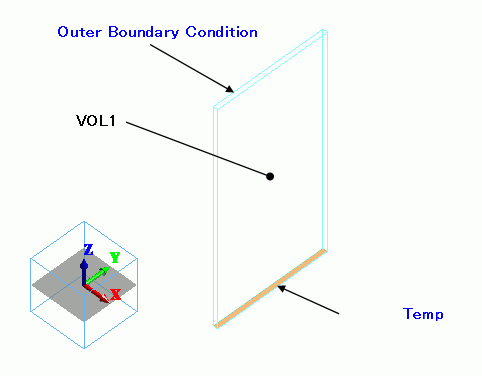
Aluminum plate, defined by a rectangular solid body, is placed vertically. The bottom face is set with the Temperature boundary condition.
The other faces are set with the Heat transfer/Ambient radiation boundary condition.
Body Number/Type |
Body Attribute Name |
Material Name |
0/Solid |
VOL1 |
404 Pure-Al1100 * |
* Available from the material DB
The coefficient for the natural convection is given by the formula below. For the details, please refer to the Thermal tab.
The coefficient can be calculated automatically by selecting [Heat transfer] > [Natural convection (automatic calculation)] for the boundary condition.
2.51×C×(1/L)^(1/4) = 2.50 [W/m2/deg5/4]
where
C = 0.56
L = 0.1
Boundary Condition Name/Topology |
Tab |
Boundary Condition Type |
Settings |
Temp/Face |
Thermal |
Temperature |
80 [deg] |
Outer Boundary Condition |
Thermal |
Heat Transfer: Convection |
Natural Convection: 2.50 [W/m2/deg5/4] Ambient Temperature: 25 [deg] |
The temperature distributions in 20 sec, 60 sec and 120 sec are shown below.
At Minimum/Maximum Value on the Contour tab of [Graphics Setup], deselect [Automatic] and set 25 => 80.
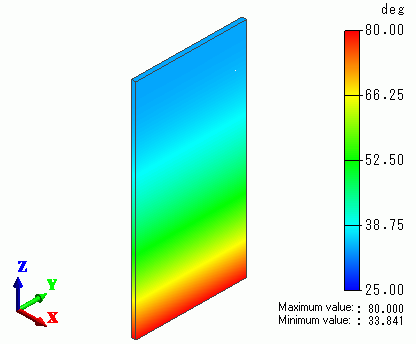
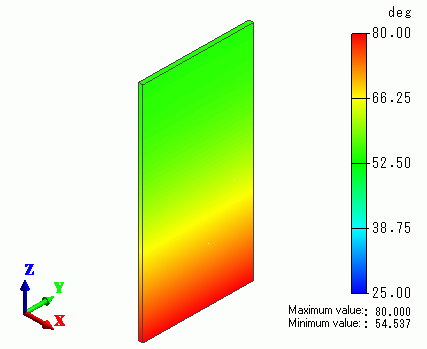
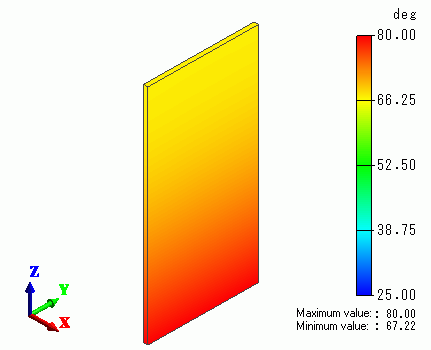
The heat creeps up as the time goes by.
The chart below shows the temperature of the tip of the plate.
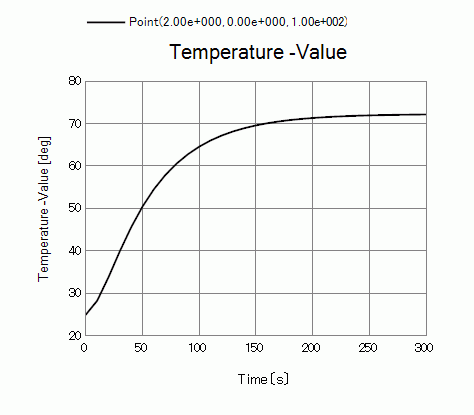
It stabilizes at around 200 sec.