|
Home / If a Macro Created with an Older Version of Femtet Does Not Work Correctly
If a Macro Created with an Older Version of Femtet Does Not Work Correctly
A modeling kernel (Parasolid) was upgraded in Femtet2018.
The topology ID after the modeling operation may be different before and after Femtet2018.
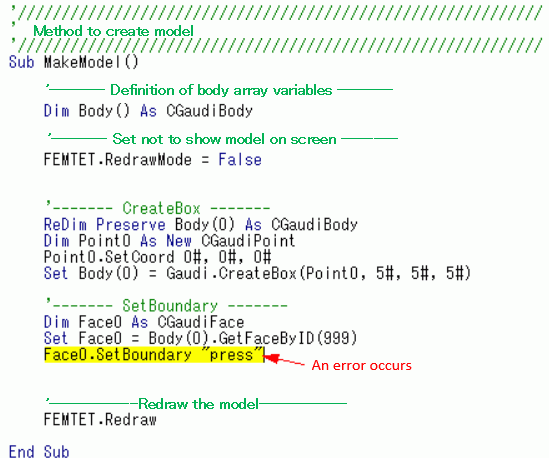
If an macro, that was created in version 2017 or older, contains commands to specify the topology ID, to move face, or to set the boundary condition,
it may not work correctly in Femtet2018 or later version due to the change of topology ID.
Corrective Procedure
- Identify the command that caused the error.
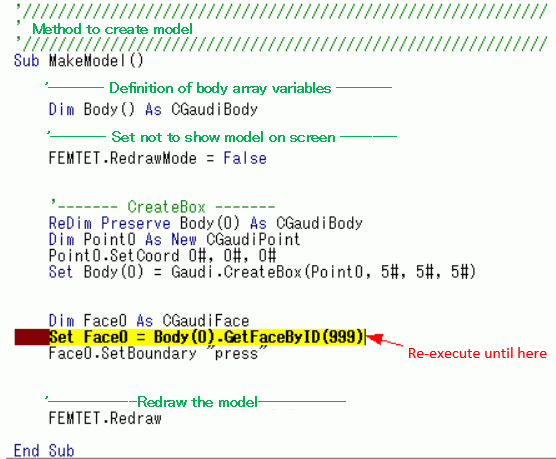
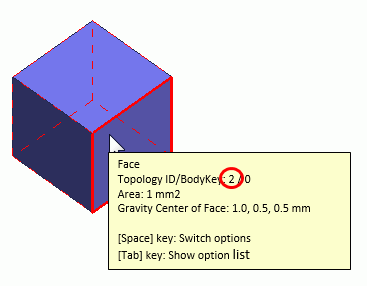
- Check the topology ID set in the command that caused the error.
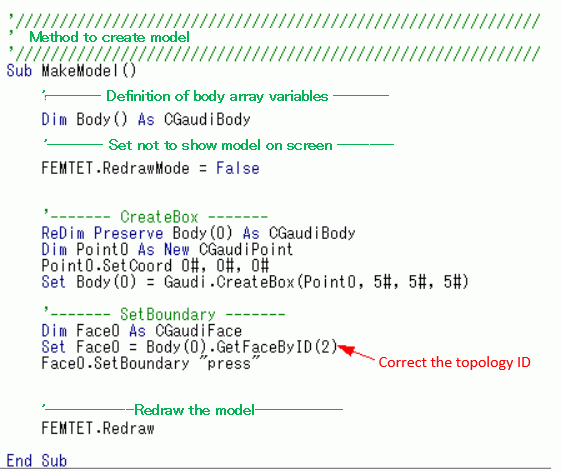
- If the topology ID is invalid, correct it.
Example: Failure of Boundary Condition Setting
|
|
|
|
|
 |
|
 |