|
Home / Simulation Accuracy Setting (Mesh/Element) / Meshing Setup / Hexahedral mesh settings
Hexahedral mesh settings
|
Items |
Notes |
|
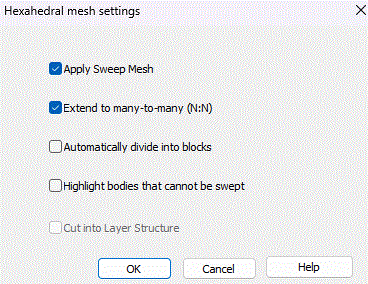
Apply Sweep Mesh |
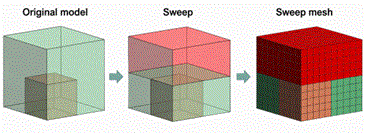
If [Hexahedral-Free/Sweep Mesh] is selected for the element type, sweep meshes are created where they are applicable. |
|
Extend to many-to-many (N:N) |
An extended many-to-many sweep can be used, increasing the applicable level of sweepable bodies. When turned off, only the standard many-to-one sweep is available. |
|
Automatically divide into blocks |
Cut non-sweepable bodies and divide them into sweepable bodies. Note that dividing into blocks is not always possible. |
|
Highlight bodies that cannot be swept |
Highlight bodies that cannot be swept after meshing. |
|
Cut into Layer Structure |
A sweep mesh is created after cutting with a plane perpendicular to the Z-axis. If non-sweepable bodies are remained, an error will occur. Not Available in the piezoelectric analysis.
|