Home / Simulation Accuracy Setting (Mesh/Element) / Meshing Setup / How to Set Number of Mesh Divisions in Thickness
How to Set Number of Mesh Divisions in Thickness
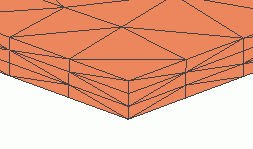
This function is intended for setting the number of mesh divisions in the thickness direction of a thin plate.
-
On the [Model] Tab, go to  and and
 , if clicked, opens the submenu. [Select Body] is selected from the submenu. , if clicked, opens the submenu. [Select Body] is selected from the submenu.
|
|
-
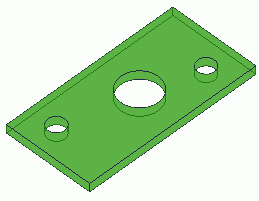
Select the target body for setting the number of divisions in the thickness direction.
|
|
-
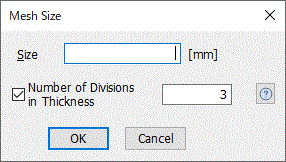
On the [Mini Tools] tab  , click [Mesh Size] , click [Mesh Size] . .
Alternatively, on the [Right Click] menu, click [Mesh Size].
|
|
-
Select [Number of Divisions in Thickness] and enter the number of divisions.
|
|
|
|
|


