|
Home / How to Set Body Attribute, Material Property and Boundary Condition / Boundary Condition Tabs / Acoustic Tab
Acoustic Tab
Boundary conditions relating to sound waves are set on this tab.
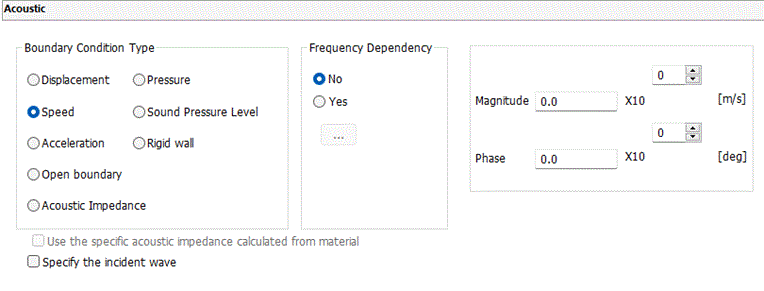
It is in the [Edit Boundary Condition] dialog box. See [How to Set Boundary Condition].
|
Boundary Condition Type |
Notes |
|
Displacement |
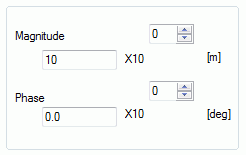
Specifies the driving displacement. The displacement multiplied by the angular frequency yields the speed. If Frequency Dependency is selected, [Frequency-Displacement] table will show up by clicking |
|
Speed |
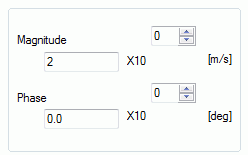
Specifies the driving speed. If Frequency Dependency is selected, [Frequency-Speed] table will show up by clicking |
|
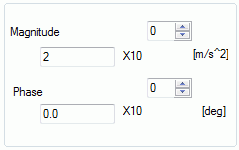
Acceleration |
Specifies the driving acceleration. The acceleration multiplied by the angular frequency yields the speed. If Frequency Dependency is selected, [Frequency-Acceleration] table will show up by clicking |
|
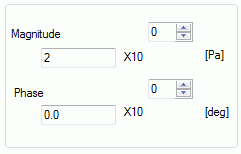
Pressure |
Specifies the driving pressure. If Frequency Dependency is selected, [Frequency-Pressure] table will show up by clicking |
|
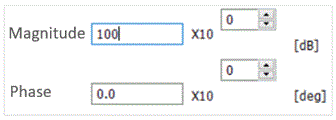
Sound Pressure Level |
Specifies the driving pressure by the sound pressure level. If Frequency Dependency is selected, [Frequency-Sound Pressure Level] table will show up by clicking |
|
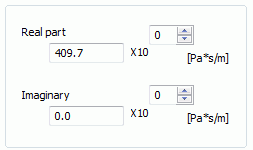
Acoustic Impedance |
Specifies the acoustic impedance. If Frequency Dependency is selected, [Frequency-Acoustic Impedance] table will show up by clicking |
|
Open Boundary |
Select it for the infinite space where the sound waves travel without reflection. The detail is explained at Open Boundary Tab of the analysis condition.
Frequency dependency cannot be specified. |
|
Rigid Wall |
Select it for the non-vibrating boundary.
Frequency dependency cannot be specified. |
|
Frequency Dependency |
Selectable for harmonic analysis with the following boundary conditions. [Displacement], [Speed], [Acceleration], [Sound pressure level], [Acoustic impedance] By clicking |
|
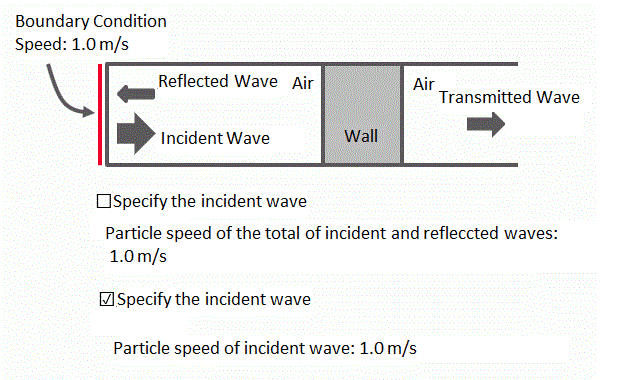
Specify the incident wave |
Applicable when the speed boundary is specified in the harmonic analysis. If driving boundary conditions, such as a speed boundary condition, are specified, the state with the total of incident and reflected waves satisfying the conditions will be solved. Then if this option is not selected, it allows the reflected waves to affect the input power. Since the amount of reflection typically varies depending on frequencies, the input power also varies depending on frequencies. Once this option is selected, the input wave will be specified. If materials have no frequency dependency, the input power is independent of frequencies. Note that it is not applicable to materials with loss.
|
|
Use the specific acoustic impedance calculated from material |
Applicable when the acoustic impedance boundary is specified in the harmonic analysis. |

![[Frequency-Displacement] table](FrequencyDisplacement_Table.gif)
![[Frequency-Speed] table](FrequencyVelocity_Table.gif)
![[Frequency-Acceleration] table](FrequencyAccel_Table.gif)
![[Frequency-Pressure] table](FrequencyPressure_Table.gif)
![[Frequency-Sound Pressure Level] table](FrequencySoundPressureLevel_Table.gif)
![[Frequency-Acoustic Impedance] table](FrequencyAcousticImpedance_Table.gif)