


|
Home / How to Set Analysis Condition / Electromagnetic Analysis [Hertz] / Input Waveform
Input Waveform
The input waveform for the electromagnetic transient analysis is set.
The setting items depend on if [Input at each port] is selected or not on the Electromagnetic analysis tab.
*Electromagnetic-transient analysis is available in an optional package.
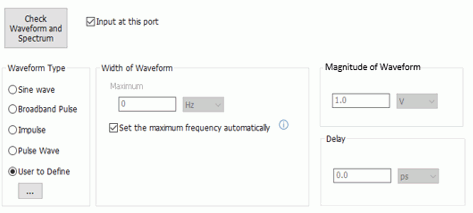
The setting items with [Input at each port] OFF
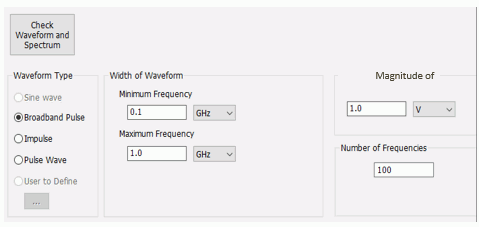
The setting items with [Input at each port] ON
|
Setting Item |
Notes |
|
Check Waveform and Spectrum |
The time response and the frequency response of the input waveform can be checked on the graph.
|
|
Input at this port |
If selected, the input is done at the port. If deselected, the input is not done at the port.
|
|
Waveform Type, Width of Waveform |
Sets the waveform.
Sine Wave The input waveform has a single frequency as a spectrum. The frequency and the ramp period for smooth interpolation are set. This waveform cannot be used if [Input at each port] is ON.
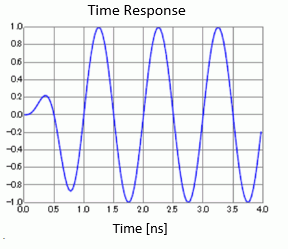
Example: Sine wave of 1GHz with ramp period of 1 for smooth interpolation
Broadband Pulse The input waveform has a spectrum in a specific frequency band. The maximum and minimum frequencies for the frequency band are set.
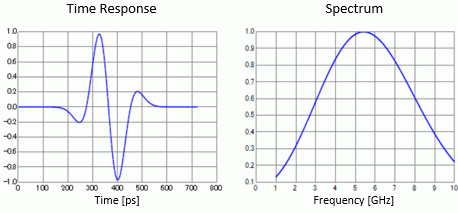
Example: Broadband pulse of 1GHz to 10GHz and its spectrum
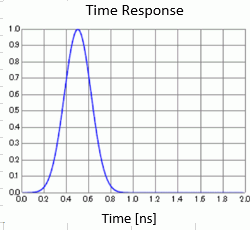
Impulse The input waveform is an instantaneous wave. The width of pulse is set. If [Input at each port] is ON, the results of TDR will be gained with this waveform.
Example: Impulse with pulse width of 1ns
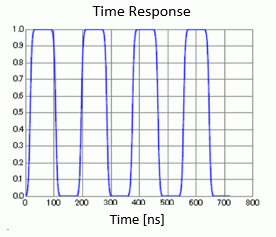
Pulse Wave The input waveform is a recurring non-sinusoidal wave. The rise time, duration, and pulse interval are set. The stepped wave can be set by setting the duration of pulse longer than the ending time of analysis. If the pulse interval is longer than the ending time of analysis, the single pulse wave can be set. If [Input at each port] is ON, the results of TDR will be gained with this waveform.
Example: Pulse wave with rise time of 30ns, duration of 60ns, pulse interval of 60ns
User to Define The waveform data is set in the table at If [Set the maximum frequency automatically] is ON, the frequency is set automatically from the waveform data and displayed. This setting is not available if [Input at each port] is ON.
|
|
Amplitude of Waveform |
Sets the maximum value of the waveform. |
|
Delay |
Sets the time to start entering the waveform. Enter the positive value. This setting is not allowed if [Input at each port] is ON.
|
|
Number of Frequencies |
Outputs the S-parameters if [Input at each port] is selected. The number of frequencies are set to gain the data of S-parameters. The range of frequencies to gain the S-parameters varies depending on the input waveform as below.
For the broadband pulse: from the minimum frequency to the maximum frequency For other waveforms: from 0Hz to the maximum frequency which is determined by the waveform
|
 . Enter the maximum frequency to get the specified waveform.