


|
Home / Show Results / Various Viewing Operations / Tooltip
Tooltip
Tooltip, once clipped, can be edited or moved to the other location.
Right click while the tooltip is indicated, and click [Tooltip] - [Clip] on the right-click menu.
The tooltips for the highlighted bodies, faces, edges, vertices or nodes need to be clipped before manipulation.
The following tooltips are movable and editable by default.
- Results at specified coordinates
- Maximum and minimum values and locations
- Startpoint and endpoint in the contour graph
- The tooltips added by [Tooltip] - [Add].
-
The tooltips for results at specified coordinates and maximum/minimum values will be updated when the displayed field is changed.
The one for results at specified coordinates will not be updated if it is edited.
Once clipped, the following operations are possible.
Go through the right-click menu except for Select and Move.
SelectLeft-clicks on the tooltip to select. If selected. the color of the tooltip frame will change. Multiple tooltips can be selected by clicking them while the <Ctrl> key is pressed. |
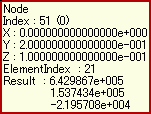
Tooltip when selected
|
MoveDrags and drops the tooltip at the desired location.
|
|
Copy TextCopies the text of the tooltip to clipboard.
|
|
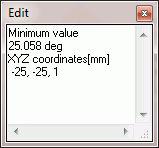
Edit TextEdits the text in an appearing dialog box. Close the dialog box to exit the edit mode. You may double click on the tooltip to enter the edit mode. |
The dialog box
|
Reset TextResets the text of the tooltip. For example, tooltips for graph's startpoint and endpoint, and added tooltips.
|
|
Font SettingSets the font for the selected tooltips in the dialog box.
|
|
Reset Font SettingResets the font setting of the selected tooltip.
|
|
DeleteDeletes the selected tooltip. Alternatively you may press the <Delete> key.
|
|
Delete All TooltipsDeletes all tooltips.
|
|
Move Tooltips into WindowBrings back the tooltip into the window . Try this command to relocate the tooltip which is out of window. |
|
-
Clipped tooltips are saved when the project is saved
except those for the startpoint and endpoint.