Femtet Help/Manual
 

Home / Modeling / Drawing Process / How to Create Primitives / Solid Bodies / Regular Pyramid

Regular Pyramid
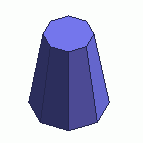
Create a regular pyramid (solid body).

Procedure

  1.  On the [Model] tab, go to and click ▼ at the bottom of [Solid Body] . Select [Regular Pyramid] on the submenu.


  1. Click and set the center of the bottom face on the modeling window.

    (Alternatively enter the coordinates in the parameter input dialog box, and click .)


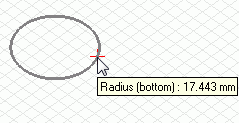
  2. Click and set the radius.

    (Alternatively enter the radius in the parameter input dialog box, and click .)


  • If the bottom face is facing the direction different from the principal axis, change the drawing plane before Step 1.


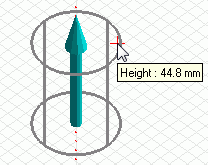
  1. Click and set the height.

    (Alternatively enter the height in the parameter input dialog box, and click .)


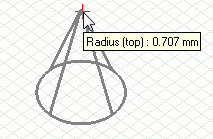
  1. Click and set the radius of the top face.

    (Alternatively enter the
    radius in the parameter input dialog box, and click .)


  1. Enter the number of corners in the parameter input dialog box, and click .


  1. Right click to exit.


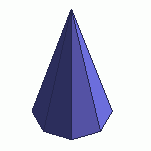
  • If the radius is set to 0 at Step 5, the pyramid will be like the right figure.