Home / Modeling / Drawing Process / How to Create Primitives / Wire Bodies / Line
Line

Create a line (wire body).
Procedure
There are 2 methods to create lines.
Method 1 (Specifying 2 points)
-
On the [Model] tab, go to 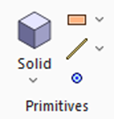 and click ▼ at the side of [Wire Body] and click ▼ at the side of [Wire Body]  . .
Click [Line] on the submenu.
-
Click the place to set the startpoint on the .
(Alternatively enter the coordinates in the , and click  .) .)
|
|
-
Click and set the endpoint on the modeling window.
(Alternatively enter the coordinates in the parameter input dialog box, and click  .) .)
-
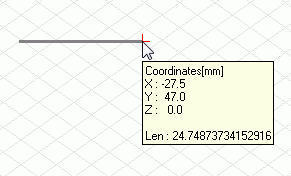
If "Continuous" is selected in parameter input dialog box, the endpoint will automatically be set on the place for the startpoint of the next line,
which makes the continuous line drawing easy.
|
|
|
-
Right click to exit.
|
|
Method 2
-
On the [Model] tab, go to and click ▼ at the side of [Wire Body] .
Click [Line [Specify Angle]]  on the submenu. on the submenu.
-
Click the place to set the startpoint on the .
(Alternatively enter the coordinates in the , and click .)
|
|
-
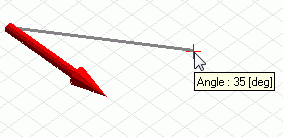
Click and set the angle on the modeling window.
(Alternatively enter the angle in the parameter input dialog box, and click .)
-
The angle is measured with reference to the subaxis vector (the red arrow in the right figure) on the drawing plane.
|
|
-
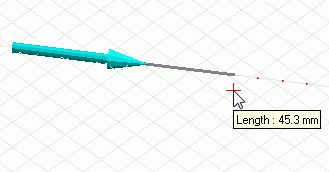
Click and set the length on the modeling window.
(Alternatively enter the length in the parameter input dialog box, and click .)
|
 |
-
Right click to exit.
|
|


