Home / Modeling / Drawing Process / How to Create Primitives / Wire Bodies / Polygonal Arc
Polygonal Arc
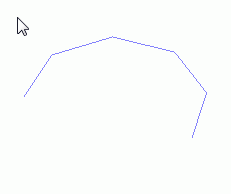
Create a polygonal arc (wire body).
Procedure
Method 1: By specifying 3 points
-
On the [Model] tab, go to  and click ▼ at the side of [Wire Body] and click ▼ at the side of [Wire Body]  . .
Select [Polygonal Arc [Specify 3 Points]]  on the submenu. on the submenu.
-
Click the place to set the startpoint on the .
(Alternatively enter the coordinates in the , and click  .) .)
|
|
-
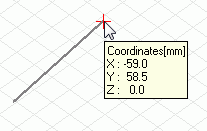
Click and set the start point on the modeling window.
(Alternatively enter the coordinates in the parameter input dialog box, and click .)
|
|
|
-
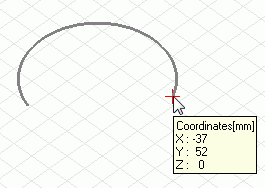
Click and set the endpoint on the modeling window.
(Alternatively enter the coordinates in the parameter input dialog box, and click .)
-
Enter the number of edges in the parameter input dialog box, and click  . .
-
Right click to exit.
|
|
Method 2 (specify center)
-
On the [Model] tab, go to and click ▼ at the side of [Wire Body] .
Select [Polygonal Arc [Specify Center]]  on the submenu. on the submenu.
-
Click and set the center on the .
(Alternatively enter the coordinates in the , and click .)
|
|
-
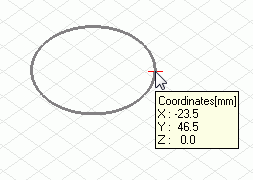
Click the place to set the startpoint on the modeling window.
(Alternatively enter the coordinates in the parameter input dialog box, and click .)
|
|
-
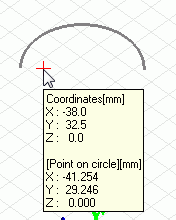
Click and set the endpoint on the modeling window.
(Alternatively enter the coordinates in the parameter input dialog box, and click .)
-
Enter the number of edges in the parameter input dialog, and click .
|
|
-
Right click to exit.
|
|


