Home / Modeling / Drawing Process / How to Modify Objects / Boolean / Intersect
Intersect
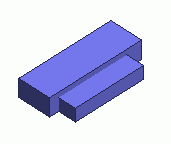
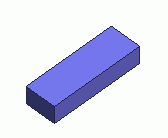
Extracts the common portion of multiple bodies.
Procedure
-
On the [Model] tab, go to

and click [Intersect]  . .
(Alternatively, right click the mouse. On the appearing menu, select [Boolean]-[Intersect])
The [Intersect (Boolean)] dialog box will appear.
|
|
-
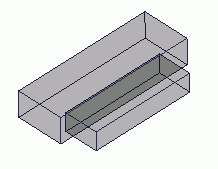
Select a target body.
|
|
-
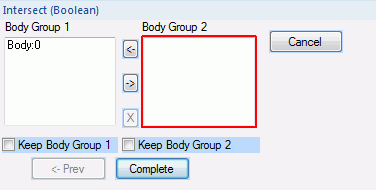
In the [Boolean (Intersect)] dialog, click and activate the list box for [Body Group 2].
|
|
-
Select another target body, while pressing the <Ctrl> key.
|
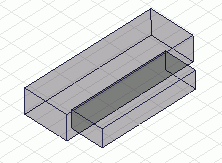
|
-
Click  on the [Boolean (Intersect)] dialog. on the [Boolean (Intersect)] dialog.
-
If [Keep Body Group 1] and/or [Keep Body Group 2] are selected, the original bodies will remain.
|
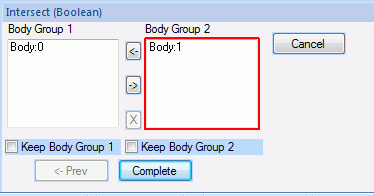
|
-
To intersect multiple bodies,
select and allocate them to either [Body Group 1] or [Body Group 2].
The common portion of the united bodies in [Body Group 1] and the united bodies in [Body Group 2] will be extracted.
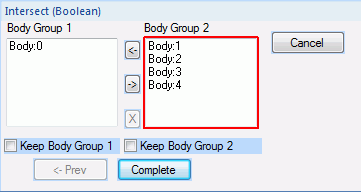
<How to List>
To move bodies across the body groups, select them and click  or or  . .
The body will be highlighted on the if its body number is selected on the list.
If you click  , the body will be out of the selection list. , the body will be out of the selection list.
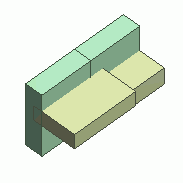  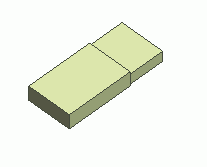
The green bodies belong to [Body Group 1] and the yellow bodies belong to [Body Group 2].
|
|