Femtet Help/Manual
 

Home / Modeling / Drawing Process / How to Modify Objects / Boolean / Unite

Unite

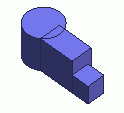
Before


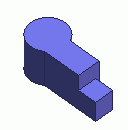
After


Unites bodies.

Procedure

  1. On the [Model] tab, go to


    and click [Unite] .

    (Alternatively, right click the mouse. On the appearing menu, select [Boolean]-[Unite])


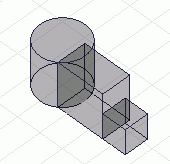
  1. Select the bodies to unite.

    The Unite operation is not affected by the order of body selection.


  2. There are two ways to select multiple objects.
    To select altogether, specify the area for selection by left clicking and dragging the mouse. The body will be selected if a part of it is in the area.
    To select one by one, select the first one by left click and keep on left clicking while pressing the <Ctrl> key.
     

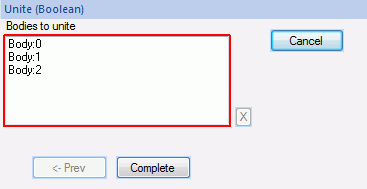
  1. Click on the [Unite (Boolean)] dialog box.