Home / Modeling / Drawing Process / How to Modify Objects / Deformation / Loft
Loft
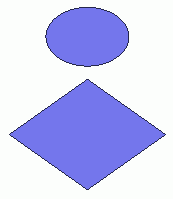

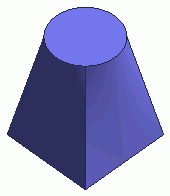
Before After
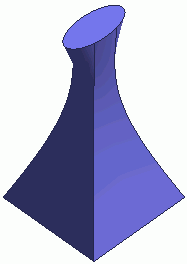
Form a 3D object by planking the specified cross sections.
Procedure
-
On the [Model] tab, go to

and click ▼ at the side of [Extrude]  . .
Select [Loft]  on the sub menu. on the sub menu.
(Alternatively, right click the mouse. On the appearing menu, select [Convert]-[Loft])
|
|
|
-
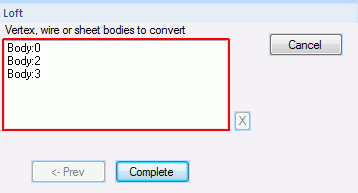
Select the bodies which serve as cross sections.
-
The selection sequence is important as the lofting is performed sequentially based on it.
-
The starting and finishing bodies can be any type of body but solid.
-
Cross sections or bodies in the middle need to be sheet or closed wire bodies.
-
As a result of lofting, a solid body will be formed if both ends are sheet bodies. Otherwise, a sheet body will be formed.
-
The number of vertices needs to be the same for all the cross sections and end bodies unless they are vertices or vertex-less plane figures such as circles, ellipses etc.
-
Wire bodies need to be planar.
-
Sheet bodies need to consist of a single-face planar topology.
|
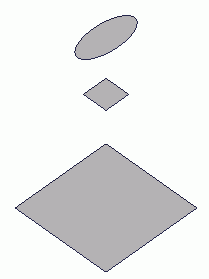
|
-
Click  in the parameter input dialog box. in the parameter input dialog box.
|
|
|
-
A sheet or solid body will be formed from the selected bodies.
|
|


