


|
Home / Modeling / Drawing Process / How to Modify Objects / Deformation / Fillet
Fillet
|
|
|
|
|
Before |
|
After |
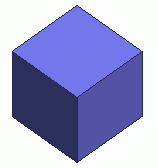

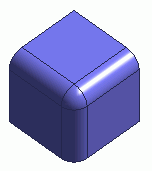
Fillets the selected bodies.
If topologies are specified,
the result of fillet depends on the body type they belong to.
| Topology | Body type | Result |
| Vertex | Wire | The selected vertices are filleted. |
| Vertex | Sheet | The selected vertices are filleted. |
| Vertex | Solid | All the edges related to the selected vertices are filleted. |
| Edge | Wire | All the vertices of the selected edges are filleted. |
| Edge | Sheet | All the vertices of the selected edges are filleted. |
| Edge | Solid | The selected edges are filleted. |
| Face | Sheet | All the vertices of the selected faces are filleted. |
| Face | Solid | All the edges of the selected faces are filleted. |
If bodies are specified
The result of fillet depends on their own body types.
| Body type | Result |
| Wire | All the vertices of the selected bodies are filleted. |
| Sheet | All the vertices of the selected bodies are filleted. |
| Solid | All the edges of the selected bodies are filleted. |
Procedure
|
|
|
|
|
|
|
|
|
|
|

 .
. .
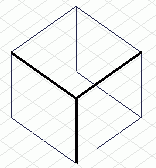
.
 in the parameter input dialog box.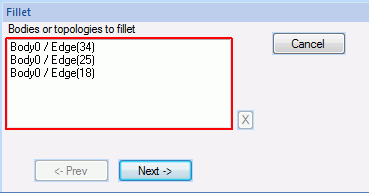
 .
.