Home / Modeling / Drawing Process / How to Modify Objects / Topology Segmentation / Imprint Face with Points
Imprint Face with Points
Imprint a selected face topology with points.
Just one face can be imprinted at a time.
Procedure
-
On the [Model] tab, go to
 , ,
and click ▼ at the side of [Modification operation (others)]  . Select [Imprint Face with Points] . Select [Imprint Face with Points]  on the submenu. on the submenu.
(Alternatively, right click the mouse and select [Segment]-[Imprint Face with Points] on the submenu)
|
|
|
-
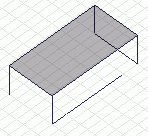
Select the face topology to imprint.
|
|
-
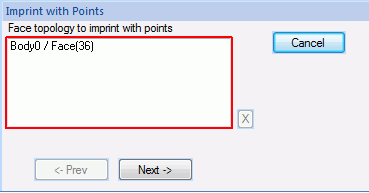
Click  in the parameter input dialog box. in the parameter input dialog box.
|
|
|
-
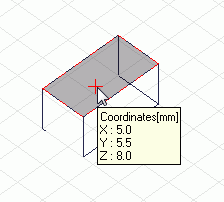
Click the coordinates of the point on the .
(Alternatively enter the coordinates in the , and click  .) .)
|
|
|
|
|