Home / Modeling / Drawing Process / How to Modify Objects / Move/Rotate / Rotate Face Topologies
Rotate Face Topologies
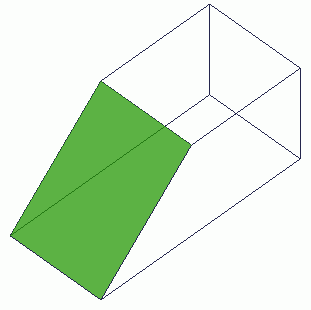
Rotate the selected face topologies.
Procedure
-
On the [Model] tab, go to

and click Select Face on the drop-down list at  . .
|
|
-
On the [Model] tab, go to
,
and click ▼ at the side of [Move/Rotate]  . Select [Rotate] . Select [Rotate]  on the submenu. on the submenu.
(Alternatively, right click the mouse. On the appearing menu, select [Move/Rotate] > [Rotate].
|
|
-
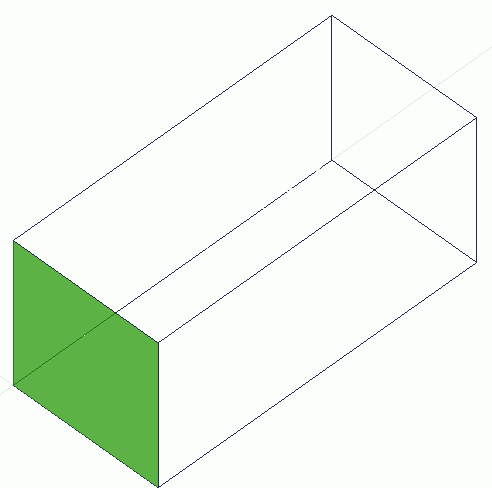
Select the face topologies to rotate.
|
|
-
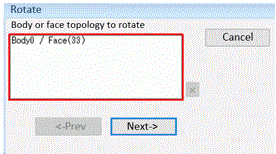
Click  in the parameter input dialog box. in the parameter input dialog box.
|
|
-
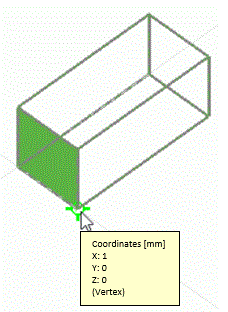
Click and set the point on rotation axis on the .
(Alternatively enter the point on rotation axis in the , and click .)
|
|
|
-
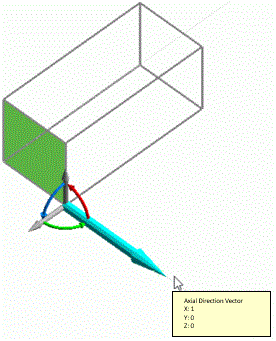
Enter the direction vector of rotation axis in the parameter input dialog box and click .
(Alternatively click and set the vector of rotation axis on the modeling window.)
|
|
-
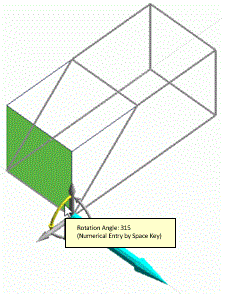
Enter the rotation angle in the , and click  . .
Apply either instant modeling mode operation or the following method.
(Alternatively click and set the reference point of rotation and the rotation angle on the .)
-
The unit of angle is [ ° ]
|
|
-
Right click to exit.
|
|