


|
Home / Modeling / History / History Cleanup
History Cleanup
Checks and deletes the unnecessary history of settings of body attribute and material property, and the deleted bodies.
Cleanup can be executed by right-clicking on the history tree.
|
|
|
|
|
Before cleanup |
|
After cleanup |
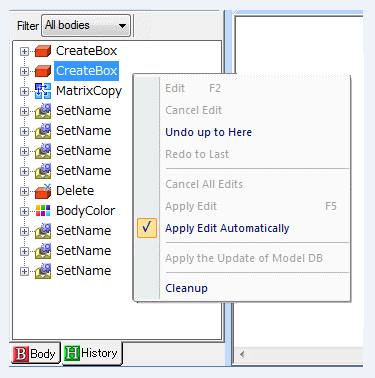

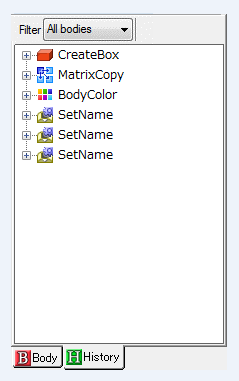
The following items are checked if the history is necessary.
Command name is shown in the bracket.
-
Delete Body (Delete)
-
Delete boundary condition (RemoveBoundary)
-
Delete boundary condition setting (SetBoundary)
-
Delete boundary condition addition (AddBoundary)
-
Body attribute/Material property setting (SetName)
-
Mesh size setting (MeshSize)
-
Body color setting (BodyColor)
-
There may be the cases where the history is not deleted.
Below is an example of such case.
1. Create body A.
2. Cut body A. Bodies B and C are created.
3. Delete body B.
A history of deleting body B cannot be deleted because its command is affected by the preceding command of cutting.
The command such as Cut increases the number of bodies. In such a case, the history of Delete cannot be deleted.