


|
Home / Modeling / The Basic of Modeling / Entry by Mathematical Expressions
Entry by Mathematical Expressions
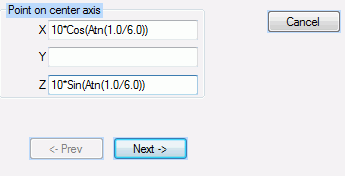
Mathematical expressions can be entered in the entry fields of various input dialogs.
The exponential representation like 1.0e-3 is acceptable. The power must be an integer. Otherwise, it will cause an error. The "e" is case-insensitive.
The usable operators and functions are listed below.
* Both upper-case and lower-case letters can be used for them.
The priority of operations follow that of Microsoft VB/VBA. The operations upper in the list below has the higher priority.
|
Symbols |
Notes |
|
^ |
Power |
|
* / |
Multiplication Division |
|
+ - |
Addition Subtraction |
|
= <> < <= > >= |
Relational operations
|
|
And |
Logical conjunction The bitwise AND of fraction-rounded integers. |
|
Or |
Logical disjunction The bitwise OR of fraction-rounded integers. |
|
Functions |
Notes |
|
Sin |
Sine. The unit of the argument is radian. |
|
Cos |
Cosine. The unit of the argument is radian. |
|
Tan |
Tangent. The unit of the argument is radian. |
|
Atn |
Arctangent. The unit of the return value is radian. |
|
Log |
The natural logarithm with base "e". |
|
Sqr |
Square root. |
|
Abs |
Absolute value of the argument. |
|
F_IF |
Conditional function.
There are 3 arguments. The second argument returns unless the first argument is "0.0". The third argument returns if the first argument is "0.0". The separator is ",".
Example: F_IF(val_a<=2, val_a*2,val_b*1.5) If val_a is less than or equal to 2, val_a*2 returns. If val_a is more than, val_b*1.5 returns. |
Commonly used but unlisted operations/functions
|
Notations |
Notes |
|
π |
Use a preregistered variable "pi", or the formula "4.0*Atn(1.0)". |
|
Secant |
Use the formula "1/Cos(X)". |
|
Cosecant |
Use the formula "1/Sin(X)". |
|
Cotangent |
Use the formula "1/Tan(X)". |
|
Arcsine |
Use the formula Atn(X/Sqr(-X*X+1)) |
|
Arccosine |
Use the formula Atn(-X/Sqr(-X*X+1))+2*Atn(1) |
|
Logarithm of non-"e" base |
Use the formula LogN(X) = Log(X) / Log(N) |
|
Power |
Pow(X,Y) = X ^ Y |