|
Home / Technical Notes / How to Solve Meshing Error / Modeling to Reduce Meshing Errors
Modeling to Reduce Meshing Errors
Heal CAD data by healing tool before import
CAD data often contain invalid topologies and errors.
You can reduce the possibility of meshing error occurrence by healing the CAD data before import.
By performing Healing (Restoring Bodies) after the import, the likelihood of mesh error can be reduced.
Rectify minute gap between bodies if any
As is often the case of the imported CAD data, there could be minute gaps between faces or edges if magnified.
(They remain even after the healing in some cases.)
If such gaps are found, rectify them to reduce the possibility of error occurrence.
Correct portions with large form errors
On the [Model] tab, go to [Model], click [Check Bodies], and select [Highlight the portions with larger form errors] on the sub menu. The edges with vertices that are offset can be highlighted.
Correcting the highlighted portions can reduce the possibility of error occurrence.
Simplify where no impact is expected on results
If detailed form exists where no impact is expected on the analysis, simply it to reduce the possibility of error occurrence. It will also reduce the calculation time.
(Logo on the packing box for example.)
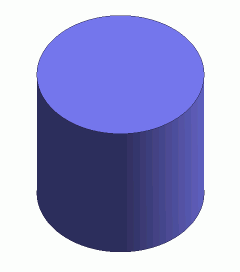
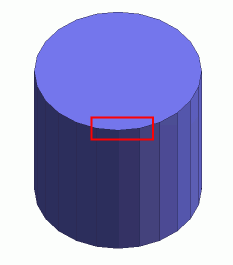
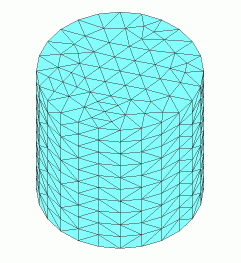
Approximate curve and curved face with polyline and polyhedron
You can reduce the possibility of meshing error occurrence by applying the polyline and polyhedron approximation to the curve and curved face respectively.
|
Cylinder |
Prism |
Prism Meshing |
|
|
|
|