General
Home / Examples / Stress Analysis [Galileo] / Example 71: Stress Analysis Using Results (Reached Temperature) Imported from Fluid-Thermal Analysis
The results of Example 13 of fluid-thermal analysis are imported for the thermal-stress analysis of the tube.
The deformation and the stress are solved from the temperature distribution of heat medium flowing in the tube.
Unless specified in the list below, the default conditions will be applied.
To import the results of fluid analysis, set Result as an import type, Fluid as an import model, and Automatic as an import mode on the result import tab.
By setting Automatic as an import mode, the results of the steady-state analysis of the fluid-thermal solver are imported.
Item |
Settings |
Solver |
Stress Analysis [Galileo] |
Analysis Space |
3D |
Analysis Type |
Static Analysis |
Unit |
mm |
Analysis Options |
Select Thermal Load
Select Large Displacement |
Result Import* |
Import Type Reached Temperature
Specify Results Specify analysis model Fluid
Specify Mode Automatic |
*The fluid-analysis model (Fluid) must be analyzed and its result must be saved in advance before the stress-analysis model is analyzed.
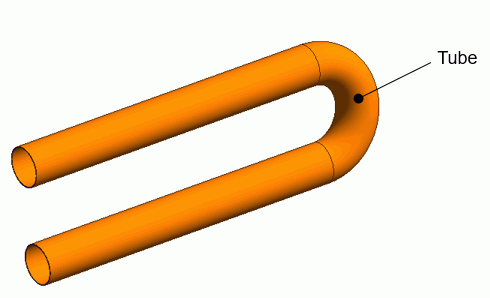
In the stress analysis, all bodies used in the fluid analysis except for the tube are deleted to see the thermal stress on the tube and its deformation.
Body Number/Type |
Body Attribute Name |
Material Name |
48/Solid |
Tube |
104_Stainless_steel * |
* Available from the material DB
Boundary Condition Name/Topology |
Tab |
Boundary Condition Type |
Setting |
Fix/Face |
Mechanical |
Displacement |
Select all of X/Y/Z components. UX=0, UY=0, UZ=0 |
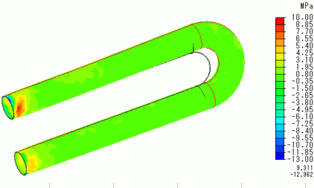
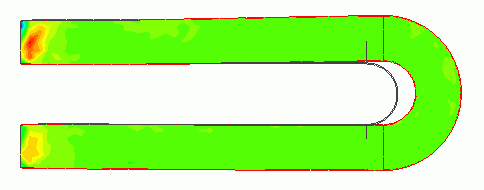
Shown below are the deformation due to the thermal stress and the contours of the stress. The largest stress is observed at the tip of the tube.