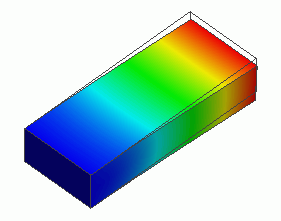
General
Home / Examples / Stress Analysis [Galileo] / Example 4: Cantilever under Gravity
The deformation of a cantilever under gravity is analyzed.
The distributions of displacement and stress are solved.
Unless specified in the list below, the default conditions will be applied.
Results will vary depending on Femtet version and the PC environment.
Item |
Settings |
Analysis Space |
3D |
Model Unit |
m |
Select "Acceleration" at Options.
Item |
Settings |
Solver |
Stress Analysis [Galileo] |
Analysis Type |
Static Analysis |
Options |
Select [Acceleration]. |
Set the Acceleration tab as follows.
Tab |
Setting Item |
Settings |
Acceleration |
Acceleration |
X=Y=0.0, Z=-9.8 [m/s2] |
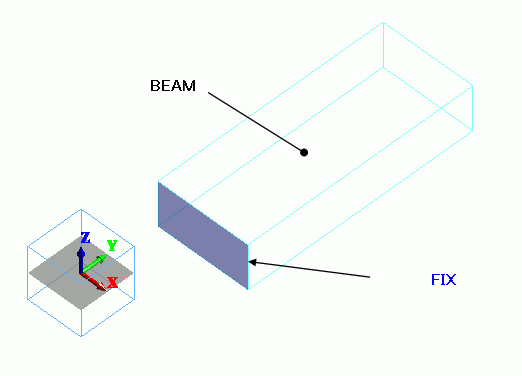
The bar is a rectangular solid body. The material is polycarbonate.
On the Mechanical tab in the boundary condition dialog box, set the zero displacement on the fixed face.
Acceleration is taken care of in the Acceleration tab of Analysis Condition Setting.
Body Number/Type |
Body Attribute Name |
Material Name |
0/Solid |
BEAM |
002_Polycarbonate(PC) * |
* Available from the material DB
Boundary Condition Name/Topology |
Tab |
Boundary Condition Type |
Settings |
FIX/Face |
Mechanical |
Displacement |
Select all X/Y/Z components. UX=0, UY=0, UZ=0 |
The contour diagram shows the Z displacement.
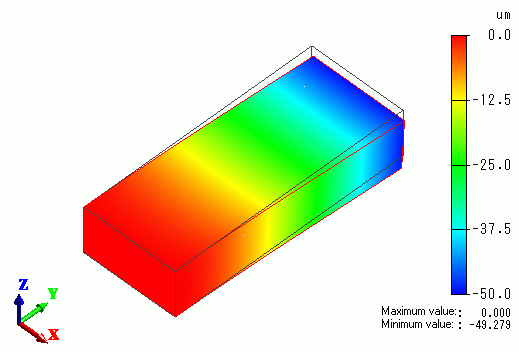
The displacement is bigger towards the tip of the bar. At the tip of the bar, the Z displacement is about 49 um.
The vectors of the stress are shown below.
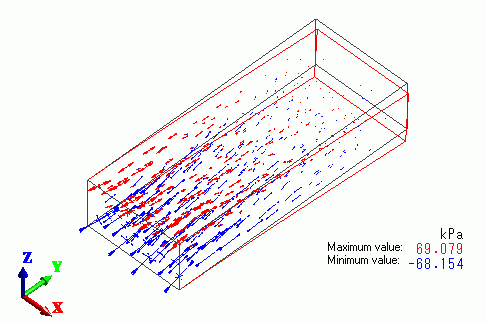
The upper part of the fixed end is getting the tensile stress, whereas the lower part is getting the compressive stress.
The external force and reactive force are listed in the table below.

The reactive force at FIX is 117.6[N] in +Z direction.