General
Home / Examples / Stress Analysis [Galileo] / Example 7: Bimetal under Thermal Load
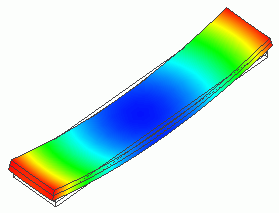
This model is a bimetal stacked with plate materials having different coefficients of linear thermal expansion. The deformation caused by thermal load from temperature variation is simulated.
The deformation, the displacement distribution, and the stress distribution are solved.
Unless specified in the list below, the default conditions will be applied.
Results will vary depending on Femtet version and the PC environment.
Item |
Settings |
Analysis Space |
3D |
Model Unit |
mm |
The temperature is applied evenly on the model.
Opt for the thermal load in the analysis condition, and set the reference temperature and the reached temperature.
There is no need to couple with the thermal analysis [Watt].
Item |
Settings |
Solver |
Stress analysis [Galileo] |
Analysis Type |
Static Analysis |
Options |
Select Thermal Load. |
The Step/Thermal Load tab is set as follows.
Tabs |
Setting Item |
Settings |
Step/Thermal load |
Reference Temperature |
25 [deg] |
Step/Reached Temperature Setting |
Step 1: 60 [deg] |
Create solid bodies of the box shape. As a combination of different coefficients of
linear thermal expansion, set copper and stainless (SUS410) separately.
As it deforms itself, there is no need to set up the boundary conditions to constrain.

Body Number/Type |
Body Attribute Name |
Material Name |
0/Solid |
CU_PLATE |
008_Cu * |
1/Solid |
SUS_PLATE |
518_SUS410 * |
* Available from the material DB
N/A
The contour diagram shows the magnitude of displacement.
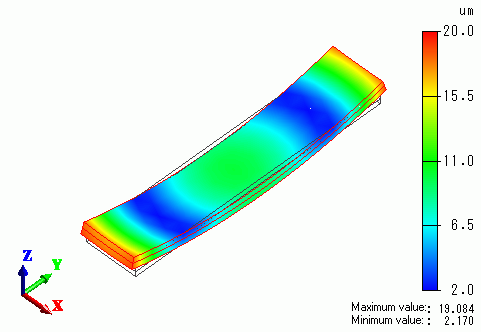
As the temperature rises, copper will expand more than stainless.
The plate warps in the positive Z direction on both ends.
The vectors of the stress are shown below.
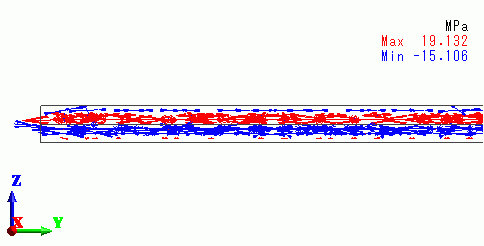
The upper plate is getting the tensile stress, whereas the lower plate is getting the compressive stress.