General
Home / Examples / Stress Analysis [Galileo] / Example 17: Material with Anisotropic Coefficient of Thermal Expansion
The analysis model has the anisotropic coefficient of linear thermal expansion.
The deformation under thermal load is solved.
The deformation, the displacement distribution, and the stress distribution are solved.
Unless specified in the list below, the default conditions will be applied.
Results will vary depending on Femtet version and the PC environment.
Item |
Settings |
Analysis Space |
3D |
Model unit |
mm |
The temperature is applied evenly on the model.
Opt for the thermal load in the analysis condition, and set the reference temperature and the reached temperature.
There is no need to couple with the thermal analysis [Watt].
Item |
Settings |
Solver |
Stress analysis [Galileo] |
Analysis Type |
Static analysis |
Options |
Select Thermal Load. |
The Step/Thermal Load tab is set as follows.
Tab |
Setting Item |
Settings |
Step/Thermal Load |
Reference temperature |
25 [deg] |
Step/Reached Temperature Setting |
Step 1: 85 [deg] |
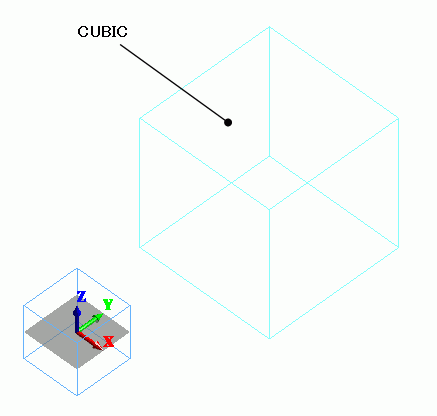
The model is a cubic solid body.
Anisotropic coefficient of linear thermal expansion is set on it.
Body Number/Type |
Body Attribute Name |
Material Name |
||||||
0/Solid |
CUBIC |
301_Quartz *
Coefficient of Linear Thermal Expansion **
|
* Available from the material DB
** The axial direction of the anisotropic material is set on the [Direction] tab of the body attribute setting. The default setting is Z direction.
N/A
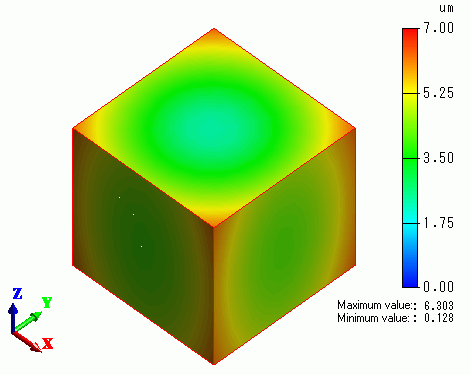
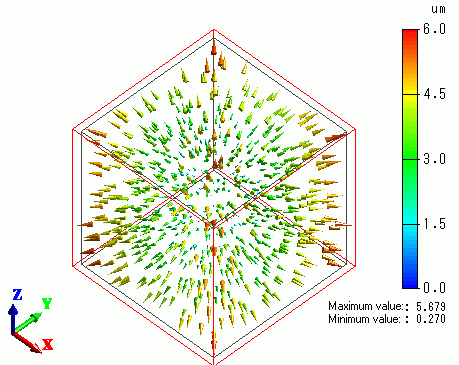
The displacement vectors are shown. The color scale indicates the magnitude of displacement.
The gradation contour of the displacement is shown below.