General
Home / Examples / Stress Analysis [Galileo] / Example 70: Stress Analysis Using Results (Pressure) Imported from Fluid Analysis
The results (pressure) of Example 7 of fluid analysis are imported for the stress analysis.
Deformation and mechanical stress of the fan blades due to the air pressure are analyzed.
Unless specified in the list below, the default conditions will be applied.
To import the results of fluid analysis, set Pressure as an import type, Fluid as an import model, and Automatic as an import mode on the result import tab.
By setting Automatic as an import mode, the results at the final time are imported.
Item |
Settings |
Solver |
Stress Analysis [Galileo] |
Analysis Space |
3D |
Analysis Type |
Static Analysis |
Unit |
mm |
Result Import* |
Import Type Pressure
Specify Results Specify analysis model Fluid
Specify Mode Automatic |
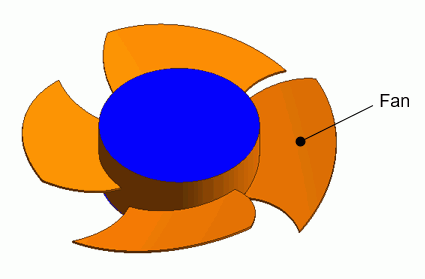
The body subjected to the stress analysis is a fan. The ambient air and the case used for the fluid analysis are removed.
Body Number/Type |
Body Attribute Name |
Material Name |
25/Solid |
Fan |
104_Stainless_steel * |
* Available from the material DB
Boundary Condition Name/Topology |
Tab |
Boundary Condition Type |
Setting |
Fix/Face |
Mechanical |
Displacement |
Select all of X/Y/Z components. UX=0, UY=0, UZ=0 |
Outer Boundary Condition |
Mechanical |
Pressure |
Select Result Import |
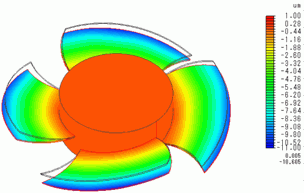
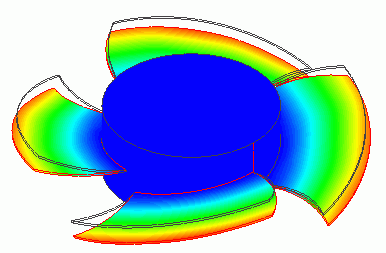
The deformation diagram is shown below. The air pressure is applied from the +Z direction and the fan blades are deformed in the -Z direction.