|
Home / How to Set Body Attribute, Material Property and Boundary Condition / Spring Connection Boundary
Spring Connection Boundary
To have the effective connection between the two spring connection boundaries, pairing and the spring constant must be set.
To pair the spring connection boundaries, proceed as follows.
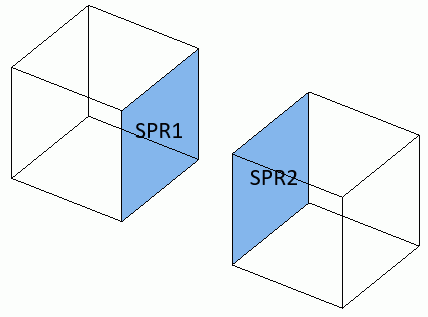
It is assumed that the spring connection boundary conditions SPR1 and SPR2 are set to the different topologies.
How to Set the Spring Connection Boundary Pair (from Menu)
|
|
|
|

 .
.
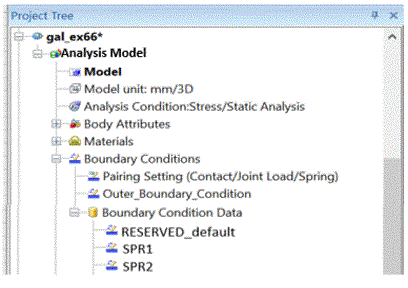
How to Change the Spring Connection Boundary Pair (from Project Tree)
|
|
|
|
The Boundary Pair Dialog Box Setup
|
Setting Item |
Notes |
||||||
|
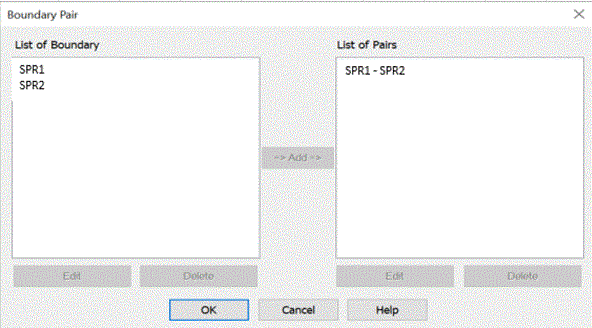
List of Boundary Conditions |
From the boundary conditions registered in the database, the list of those for the boundary pair will appear. Double click one. The [Edit Boundary Condition] dialog box will show up. To remove it from the list, press the [Delete] button. |
||||||
|
List of Pairs |
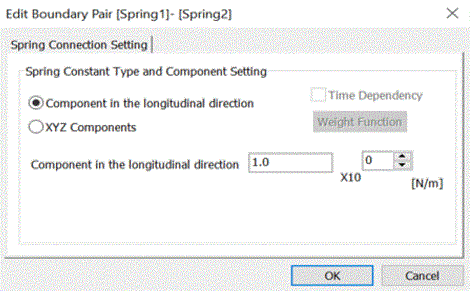
The registered pairs will be listed here. Double click one. The [Edit Boundary Pair] dialog box will show up and you can edit the data. (For the spring connection, the type of spring constant and its value can be edited.) To remove it from the list, press the [Delete] button. |
||||||
|
Add |
Selects the boundary conditions to pair up in the list. The [Edit Boundary Pair] dialog box will show up. Press the OK button to complete the pairing. |
||||||
|
Delete |
Deletes the boundary conditions from each list. |
||||||
|
Edit |
Sets the spring constant type and component.
|