


|
Home / How to Set Body Attribute, Material Property and Boundary Condition / Material Property Tabs / Creep Tab
Creep Tab
The material's creep is set on this tab.
Creep Tab can be set only in the following two cases.
1. Harmonic analysis is selected on the Mechanical Stress Analysis Tab and [Set up ] is selected for Time setting on the Step/Thermal Load Tab
2. Transient analysis is selected on the Stress Analysis Tab.
It is in the [Edit Material Property] dialog box. See [How to Set Body Attribute/Material Property].
(Note) Creep analysis is available in an optional package.
|
Setting Items |
Notes |
|
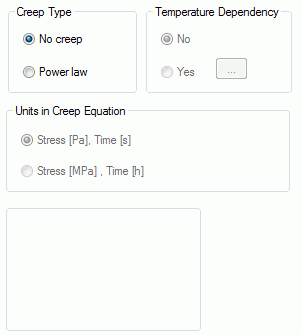
Creep Type |
Select either No creep or Power law.
For power law, the equivalent creep strain is given by expression as follows:
σ: equivalent stress [Pa] T: time [s] a0, a1, a2: power-law creep constants
|
|
Temperature Dependency |
This is selectable when Power law is selected and "Thermal load" is selected in the Analysis Condition.
Select either No or Yes.
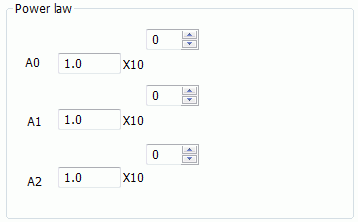
If No, set A0, A1 and A2.
If Yes, click
Fill in the table with the temperature and the creep constants.
Click the Graph button. The graph for the nonlinearity based on the entered data will show up. At least 2 pairs of data are required for the graphing.
|
|
Units in Creep Equation |
Select either one below:
Stress [Pa], Time [s] Stress [MPa], Time [h]
If you select the right unit system, no additional conversion will be necessary.
|

 to open [Temperature-Power-law creep constant] Table.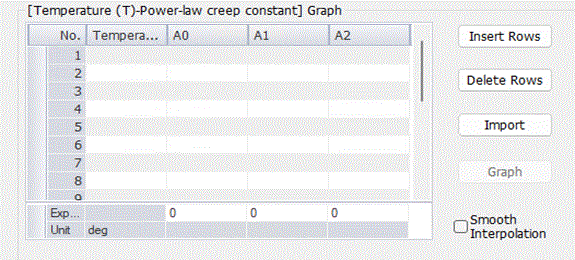
See [Analysis of Creep Materials]for more details.