Home / How to Set Body Attribute, Material Property and Boundary Condition / How to Set Body Attribute/Material Property
How to Set Body Attribute/Material Property
-
On the [Model] tab, go to

and select Select Body  . .
|
|
-
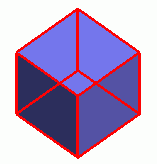
Select a body to set the attribute in the main window.
|
|
- On the right-click menu, click [Body Attribute/Material Property]
|
|
-
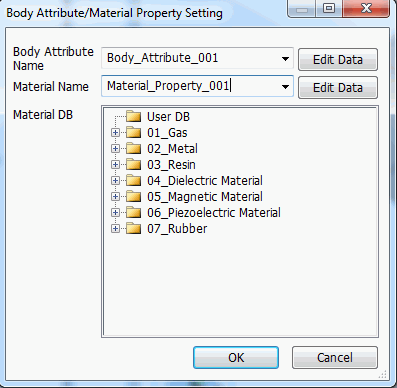
Enter the body attribute name and the material name in the [Body Attribute/Material Property Setting] dialog box.
the names will show up on the name entry fields automatically. They will be like "Body Attribute_xxx" and
"Material Property_xxx" (xxx are numbers)
-
If the body attribute and the material property have been set on the selected body before, the previously entered names will appear.
If several bodies, which are set with different body attributes and material properties, are selected, the name entry fields will be blank.
-
To use the existing data,
click  and select one on the list. and select one on the list.
In that case, the procedures below (5 and later) are not needed.
-
Femtet has Material DB readily available for the users.
To use it, make selection from the material DB tree on the dialog box.
In that case, the procedures below (5 and later) are not needed.
|
|
|
-
Set the details of body attribute.
Click  at the right side of body attribute name. at the right side of body attribute name.
The [Edit Body Attribute] dialog box will appear.
Go through the tabs on the left side and set the required items.
The variables for analysis conditions/material properties/boundary conditions/body attributes can be entered on each tab.
The detail is explained on "Body Attribute Tabs"
-
Set the details of material property
Click  at the right side of material property name entry field. at the right side of material property name entry field.
The [Edit Material Property] dialog box will show up.
Go through the tabs on the left side and set the required items.
The variables for analysis conditions/material properties/boundary conditions/body attributes can be entered on each tab.
The detail is explained on "Material Property Tabs"
|
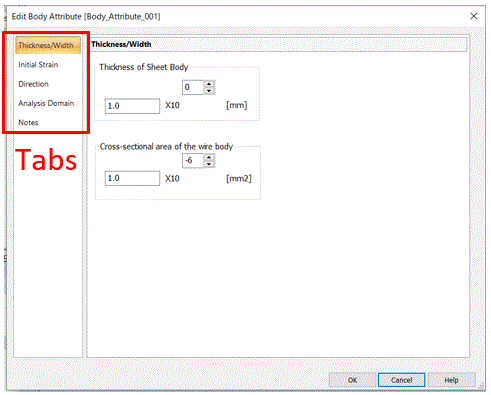
An Example of [Edit Body Attribute] Dialog Box |
-
Click 
|
|
-
To confirm or modify the body attribute or material property,
double-click the attribute name on the body attribute or material in the Project Tree.
The edit dialog box will appear.
|
|


