|
Home / How to Set Body Attribute, Material Property and Boundary Condition / Material Property Tabs / Resistivity Tab
Resistivity Tab
The material's resistivity is set on this tab.
The tab is displayed in the [Edit Material Property] dialog box. See [How to Set Body Attribute/Material Property] for details.
|
Setting Items |
Notes |
|
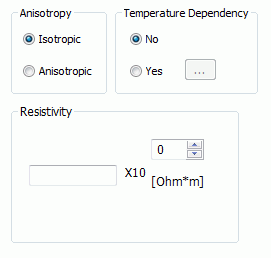
Anisotropy |
Sets either Isotropic or Anisotropic. |
|
Temperature Dependency |
Sets either No or Yes.
If Yes is set, by clicking Enter the data there.
|
|
Resistivity |
Available only if the temperature dependency is No and the anisotropy is Isotropic. The significand is a real number greater than 0.
|
|
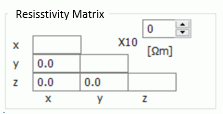
Resistivity Matrix |
Available only if the temperature dependency is No and the anisotropy is Anisotropic.
|
 , the
, the