


|
Home / How to Set Body Attribute, Material Property and Boundary Condition / Material Property Tabs / Acoustic Tab
Sound Speed Tab
The material's sound speed is set on this tab.
It is in the [Edit Material Property] dialog box. See [How to Set Body Attribute/Material Property].
Harmonic Analysis
Transient Analysis
|
Setting Item |
Notes |
||
|
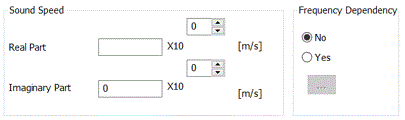
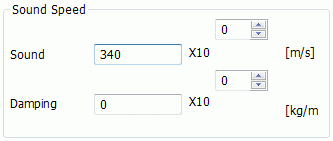
Real Part |
Sets the sound speed.
331.5 + 0.6*t (t in Celsius)
|
||
|
Imaginary Part/Coefficient of Damping |
Sets the imaginary part and coefficient of damping of the sound speed.
Kirchhoff's equation is given below. The sound speed increases as the frequency increases. See here for more details.
It is 2.7x10⁻⁷f in the air, and 2.8x10⁻⁹f in the water, where f is the frequency.
|
||
|
Frequency Dependency |
Selectable only for acoustic-harmonic analysis. Selects either Yes or No. If Yes is selected, by clicking Enter the frequency, and corresponding real part and imaginary part of the sound speed. |
 The sound speed in the 1-atm air is given by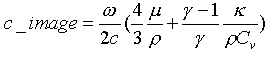
 ,
, 
![[Frequency-Sound Speed] table](frequency-sound_velocity_curve.gif)