


|
Home / How to Set Body Attribute, Material Property and Boundary Condition / Material Property Tabs / Specific Heat Tab
Specific Heat Tab
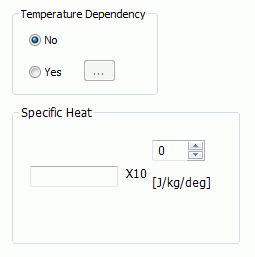
The material's specific heat is set on this tab.
It is in the [Edit Material Property] dialog box. See [How to Set Body Attribute/Material Property].
|
Setting Items |
Notes |
|
Temperature Dependency |
Sets either No or Yes. If Yes is set, when clicking will appear. Enter the data there.
Click the Graph button. The graph for the nonlinearity based on the entered data will show up. At least two data for [Temperature] and [Specific heat] respectively are required to draw a graph.
|
|
Specific Heat |
Enterable only if No is set for the temperature dependency. The significand is a real number greater than 0.
|
 ,
,