|
Home / How to Set Body Attribute, Material Property and Boundary Condition / Material Property Tabs / Viscosity Tab
Viscosity Tab
The viscosity of material is set on this tab.
It is in the [Edit Material Property] dialog box. See [How to Set Body Attribute/Material Property].
It is required for the fluid analysis.
-
This tab will be enabled if "Fluid" is selected on the [Solid/Fluid] tab of the material property in the fluid analysis [Bernoulli] or fluid-thermal coupled analysis [Pascal/Watt].
-
For the turbulent flow analysis, only Newtonian fluid is selectable.
-
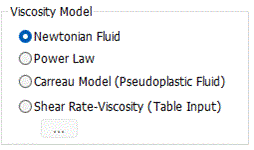
Power law model, Carreau model, and share rate-viscosity (table input) are supported for non-Newtonian fluid.
|
Setting Item |
Notes |
|
Newtonian Fluid |
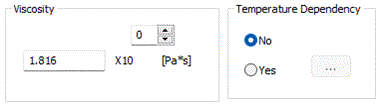
[Viscosity]
The significand is a real number greater than 0.
[Temperature Dependency]
Sets either No or Yes. If Yes is set, click will show up. Enter the data here.
Click the Graph button to see the graph of entered data. At least two data for [Temperature] and [Viscosity] are required respectively to draw a graph. |
|
Power Law |
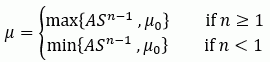
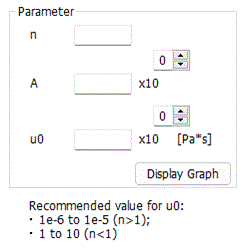
Calculates the coefficient of viscosity by the equation in the image above (S is shear rate [/s]). Represented by n as follows: Newtonian fluids (n=1); Dilatant fluids such, as starch suspensions (n>1); and pseudoplastic fluids, such as liquid resin in injection molding (n<1). The n and A are parameters, and μ0 is the lower limit for Dilatant fluids or the upper limit for pseudo thermoplastic fluids.
|
|
Carreau model (for pseudoplastic fluids) |
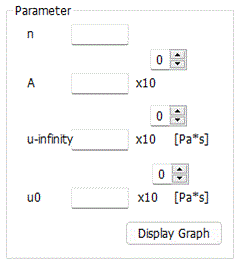
Calculates the coefficient of viscosity by the equation in the image above (S is shear rate [/s]). Shear strain rates S→0 results in μ0 and S→∞ results in μ∞, which indicate the upper limit and lower limit of viscosity, respectively. The n and A are parameters. When n=1, Newtonian fluids are represented.
|
|
Shear Rate-Viscosity (Table Input) |
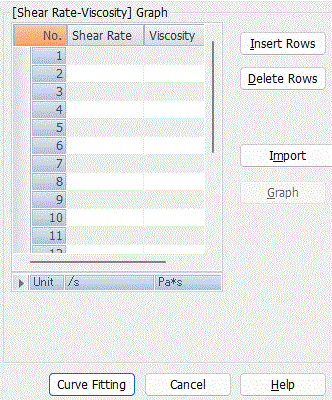
・Shear Rate-Viscosity Table Input to Curve Fit
Enter the measurement data from a rotational viscosimeter (rheometer) and click the curve fitting button. Then, the parameters of the power law or Carreau model can be obtained through fitting. By default, the data is fitted using a logarithmic scale.
・Curve Fitting Result to Apply Result
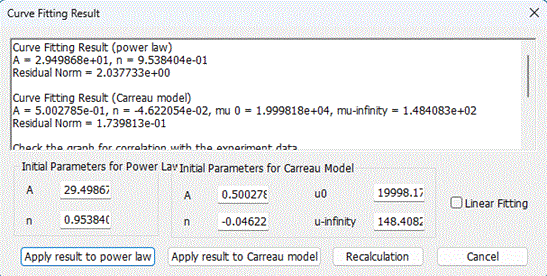
The results obtained from curve fitting are displayed in the window. [Apply results to power law] Button: The results obtained from curve fitting are automatically applied to the parameters of the power law viscosity model. [Apply results to Carreau model] Button: The results obtained from curve fitting are automatically applied to the parameters of the Carreau viscosity model. [Recalculation] Button: Parameters can be recalculated using the initial values filled in the fields for [Initial Parameters for Power Law Model] and [Initial Parameters for Carreau Model].
Recalculating with properly specified initial values can enhance the accuracy of curve fitting. Specify the initial value for each parameter such that the residual norm is minimized.
|
 . The
. The