|
Home / Examples / Piezoelectric Analysis [Rayleigh] / Example 8: Periodic Structure
Example 8: Periodic Structure
General
-
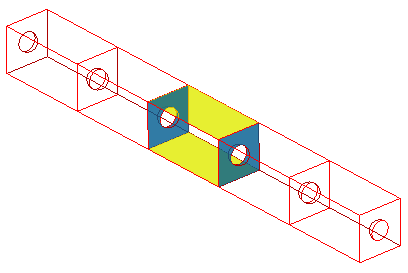
A piezoelectric bar with a periodic structure is analyzed. The analysis is done for a base unit of the periodic structure.
-
The periodic boundary condition is set on either face of the base unit.
-
Unless specified in the list below, the default conditions will be applied.
-
Obtain this session's project file. (Right-click and choose 'Save link as')
-
Results will vary depending on Femtet version and the PC environment.
Analysis Space
|
Item |
Settings |
|
Analysis Space |
3D |
|
Model Unit |
mm |
Analysis Conditions
|
Item |
Settings |
|
Solver |
Piezoelectric Analysis [Galileo] |
|
Analysis Type |
Resonant Analysis |
|
Options |
N/A |
|
Tab |
Setting Item |
Settings |
|
Resonant analysis |
Number of Modes |
3 |
|
|
Approximated Frequency |
0 [Hz] |
Model
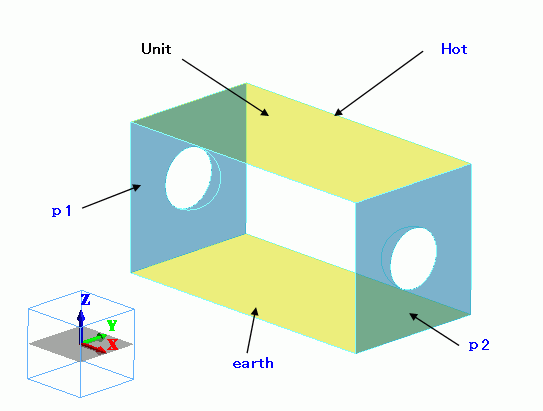
Cut the model with symmetric planes and set the periodic boundary condition to the sections. The top face is fixed at 1 [V].
The bottom face is fixed at 0 [V].
Body Attributes and Materials
|
Body Number/Type |
Body Attribute Name |
Material Name |
|
4/Solid |
UNIT |
000_P-4 * |
* Available from the material DB
Boundary Conditions
|
Boundary Condition Name/Topology |
Tab |
Boundary Condition Type |
Settings |
|
p1/Face |
Symmetry/Continuity |
Periodic |
|
|
p2/Face |
Symmetry/Continuity |
Periodic |
|
|
hot/Face |
Electric |
Electric Wall |
Electric Potential 1 [V] |
|
earth/Face |
Electric |
Electric Wall |
Electric Potential 0 [V] |
For the periodic boundary conditions, p1 and p2,
On the [Model] tab

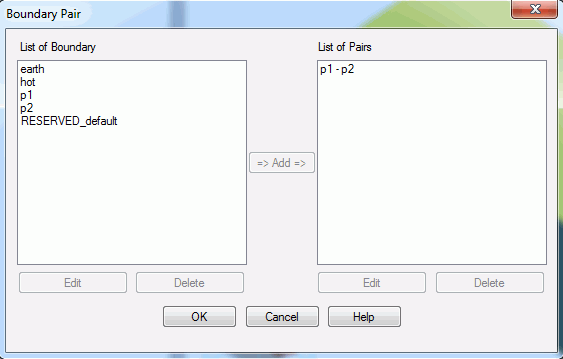
click [Boundary Pair]  and register the pair. Select p1 and p2 for registration.
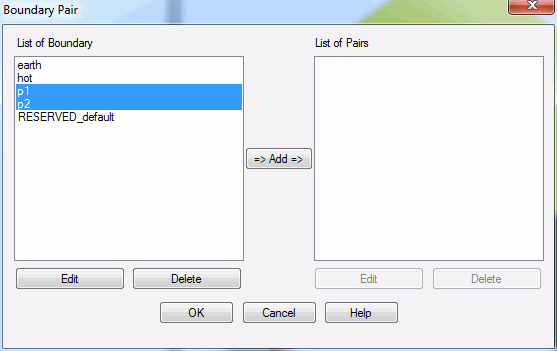
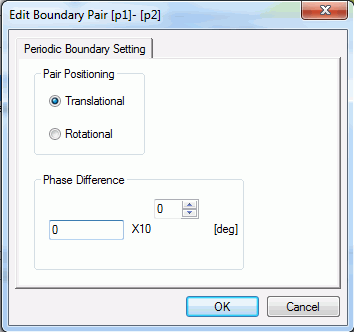
When "Add" is clicked, the dialog box below will appear. Enter the phase difference between p1 and p2.
If in-phase, it will be 0 [deg]. If completely out-of-phase, it will be 180 [deg].
Click OK to finish.
Results
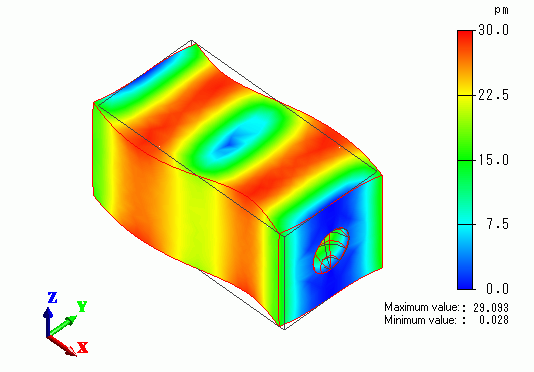
The contour diagram shows the magnitude of displacement.
The boundary pair, p1 and p2, are displaced in the same magnitude.