


|
Home / User Interface / Mouse Operations
Mouse Operations
Mouse operations are listed as below. See also [Keyboard Shortcut].
Left Click to Select Bodies/TopologiesClick left button to select bodies and topologies. |
|
Right-click Menu of Mouse(context menu)Click right button while bodies/topologies are selected. The command menu will appear.
|
|
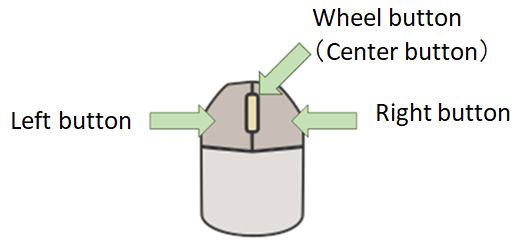
Viewpoint OperationsViewpoint can be manipulated with mouse.
|
|
Operations |
Notes |
|
|
Rotate
|
|
<Alt> + Drag Drag |
|
 Drag Drag |
|
|
Zoom
|
|
<Alt + Shift> +Drag |
|
 Rotate Rotate |
|
|
 Drag Drag |
|
|
Shift
|
|
<Shift> +Drag |
|
 Drag Drag |
|
|
<Ctrl> + |
|
|
Fit All |
|
|
|
Rectangular zoom |
|
|
