


|
Home / Modeling / CAD Data Import/Export / Setting Items at Export
Setting Items at Export
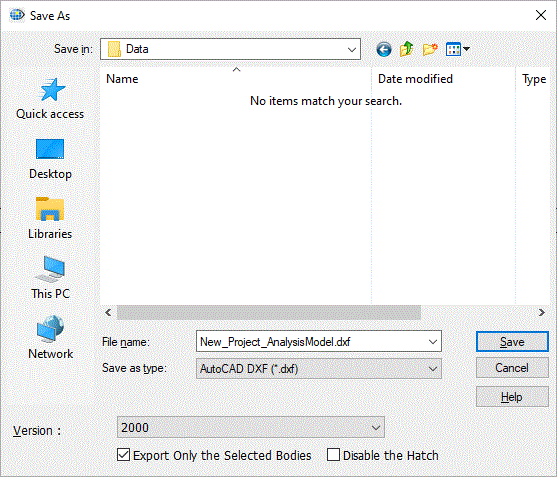
Go and click the [File] tab  , and select [Export CAD Data]
  .The [Export] dialog box will be activated.
See also [CAD Data Import/Export].
|
Items |
Notes |
|
File Name |
Specifies the file name. |
|
File Type |
Selects the file type. |
|
Version |
Selects the file version. The application has to be compatible with the version specified here when opening the exported file.
|
|
Export only the selected bodies |
Exports bodies only selected before the dialog is opened. |
|
Disable the hatch |
If this option is selected, the hatched face will not be output. Only the edges of sheet body or of solid body's section will be output.
|