


|
Home / Show Results / Result Field / Play Animation
Play Animation
On the [Results] tab,

click [Play Animation] to play animation of mode or phase.
During the play, Stop button  will appear. If it is clicked, the animation will stop.
The animation can be stopped also by pressing Esc key.
-
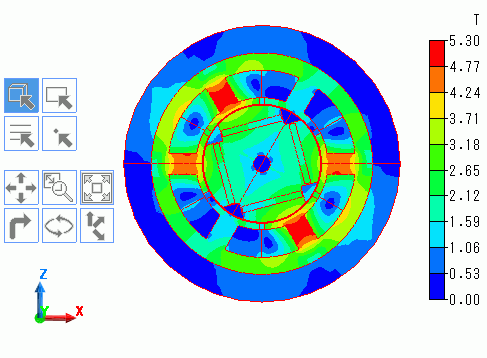
For faster graphical processing, the color scale of contour is created with the maximum and minimum values calculated only at the surface of the model.
-
The values at the bottom of the color scale are the maximum and minimum values among the frames which have already appeared in animation.
Options
|
Setting Item |
Notes |
|
|
Object |
Automatic |
Sets the object for animation automatically. Otherwise, mode will be set for animation.
|
|
Mode |
Sets the mode for animation.
|
|
|
Phase |
Sets the phase for animation.
|
|
|
Speed |
Low Speed |
Plays animation at a low speed. The frame rate is one frame per second.
|
|
Normal Speed |
Plays animation at a normal speed. The frame rate is two frames per second.
|
|
|
High Speed |
Plays animation at a high speed. The frame rate is four frames per second.
|
|
|
Progress Interval |
Automatic |
Effective only for rotating machinery in the magnetic transient analysis. The progress interval of animation is automatically set according to the model's shape.
|
|
1 or 5° |
If the object for animation is mode, the progress interval is every 1 mode. If it is phase, it is every 5°.
|
|
|
2 or 10° |
If the object for animation is mode, the progress interval is every 2 modes. If it is phase, it is every 10°.
|
|
|
5 or 30° |
If the object for animation is mode, the progress interval is every 5 modes. If it is phase, it is every 30°.
|
|
|
10 or 60° |
If the object for animation is mode, the progress interval is every 10 modes. If it is phase, it is every 60°.
|
|
|
Optional Value |
Effective only if the mode is the object for playing animation. The progress rate of mode is set to play animation.
|
|
|
Continuous Play |
Enable |
Enables the continuous play. Animation is repeatedly played from the start when it reaches the final mode or phase. |
|
Disable |
Disables the continuous play. The animation will stop when it reaches at the final mode or phase.
|
|