


|
Home / Show Results / Result Field / Streamline/Forceline
Streamline/Forceline
On the [Results] tab,

click [Streamline/Forceline] .
.
-
Streamlines and forcelines are displayable in the following fields.
Flow velocity, heat flux, electric flux density, and magnetic flux density.
-
Select face/edge/vertex topology topology for the startpoints of streamlines/forcelines and click [Streamline/Forceline]
to draw them.
-
If the fields are electric flux density or magnetic flux density, the area for the startpoints will be automatically created to draw the streamlines/force lines even if the topology for the start points is not selected.
Such area is near the maximum value of the field.
-
If the body having a section is selected, the startpoints are drawn on the section.
-
Streamlines and forcelines can be displayed superimposing on a contour diagram (only for 2D analysis), and on a vector diagram.
-
In the fluid-thermal analysis, if only thermal analysis is displayed, the streamlines of the fluid analysis and the result of the thermal analysis can be displayed overlapping each other while the cross section is displayed.
|
|
|
|
|
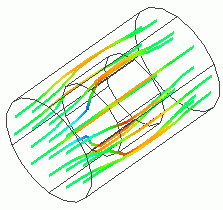
Streamlines |
|
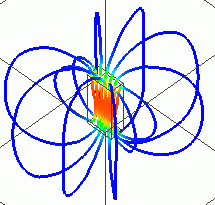
Magnetic flux density |
Display Setting
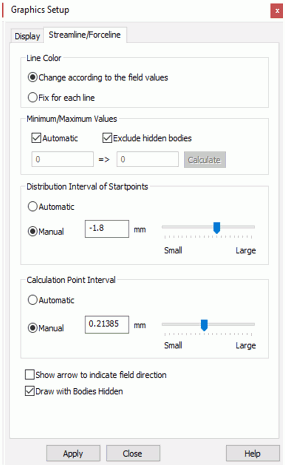 |
Click [Graphics Setup] [Streamline/Forceline] tab is for the setting of streamline/forceline display. See the detail. |
 . The dialog box to set up the graphics will show up.