


|
Home / Show Results / Descartes, the Graphing Tool / Miscellaneous / Text Box
Text Box
A text can be entered in a text box.
A text box is in either one of the following modes.
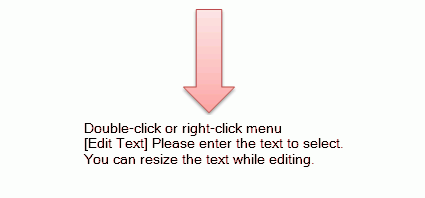
1. Normal mode
The text box is in this state right after reading a project.
The text box can be moved by dragging or deleted by DEL key.
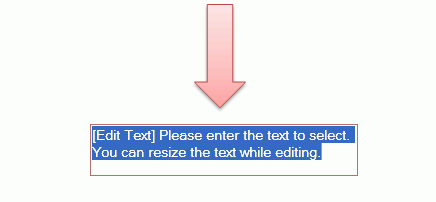
2. Edit mode
A text can be entered.
The text area can be modified by dragging the view box.
Operation (Insert a Text Box)
1. Click  on the toolbar or select [Input text] from the [Insert] menu.
2. Click on the place where the text box should be set.
3. Text box setting can be done consecutively. Press ESC key to finish the operation.
Operation (Edit Mode)
The contents of a text box can be edited only when the text box is in the edit mode. The mode can be changed by double-click on the text box
or click [Edit text] on the right-click menu.
-
The text box whose borders turn to black lines is in edit mode.
The following operations are allowed in edit mode.
-
Edit of the contents
Enter characters from the keyboard. Line break is possible.
-
End the edit. (There are 3 methods to end the edit)
Method 1: Double-click in the text box when the borders are black.
Method 2: Select [End text editing] from the right-click menu in the text box.
Method 3: Click mouse anywhere on the window except for graphe, legend, marker information.
-
-
Method 3 is recommended.
-
-
Change of the font
Select Font from the right-click menu on the text box.
-
Deletion of the text box
Select Delete Text from the right-click menu in the text box.
Text input box will be deleted
-
-
Text input box can be deleted also by erasing all characters and selecting one of the ending methods above.
-
-
Resizing the text box
Drag the border of the text box.
-
The error message will appear if you try undo/redo/mouse wheel operations during the edit mode.
Operations other than text input are not allowed.
Operation (Normal Mode)
1. Following operations can be done in the normal mode.
-
Operations which Descartes can handle such as moving, deleting, and scaling text box.
-
Selecting right-click menu in the text input box
-
-
[Edit text]
-
[Delete text]
-
[Font] change
-