


|
Home / FAQ / Q14. I Want to Create a Model from Mesh Data
Q14. I Want to Create a Model from Mesh Data
A. Yes you can.
A Femtet-format model data can be created from the mesh data.
You can set the analysis conditions to the created model.
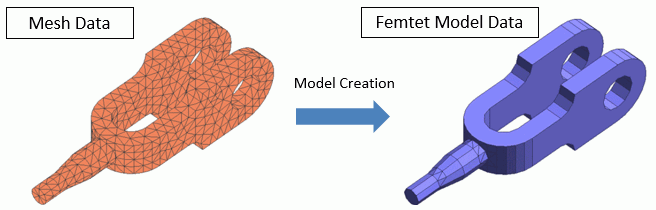
Model Data
The model data is created from the mesh data as below.
-
Body
Only solid body and sheet body are supported. Wire body and vertex body are ignored.
-
Material
Only material name and corresponding body information are created. Physical data is ignored.
-
Boundary condition
Only boundary condition name and corresponding topology information are created. Physical dta is ignored.
Supported Mesh Data Format
The formats below are supported to create a model.
-
Nastran (file extensions are .nas, .bdf, and .dat)
-
Neutral (file extension is .new)
-
Femtet result file (file extension is .pdt)
-
The data used to create model from Nastran and Neutral formats are described in detail later in this page.
-
The details when creating model from a result file of Femtet are described later in this page.
Prepare a mesh file and create an analysis model as below.
Procedure
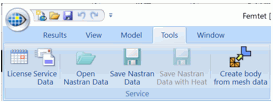
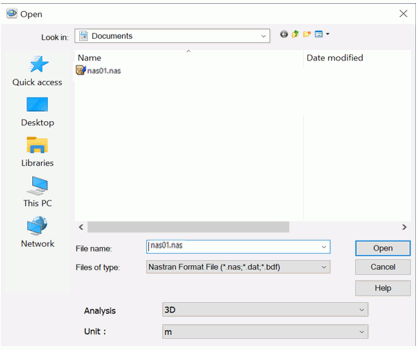
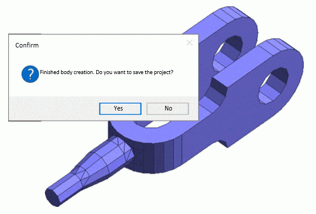
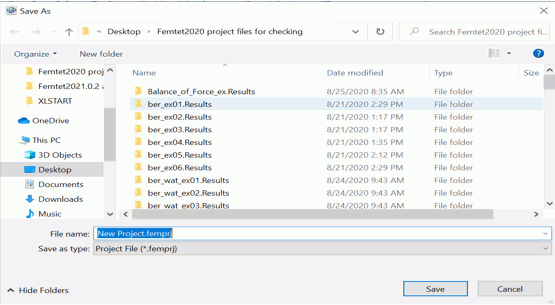
A Femtet-format model data can be created the from mesh data in the following way.
|
|
|
|
|
|
|
|
|
|
|
|
 .
.


Calculation Time
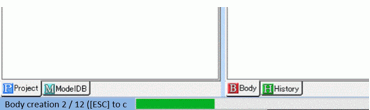
As the number of meshes increases, the time required to create a model increases.
The number of meshes and calculation time are listed below for your reference.
-
The figures in Notes are based on Femtet 64-bit version.
CPU: Intel Xeon E2176G 3.70GHz Memory: 16GB
-
They will vary depending on Femtet version and the PC environment.
-
Compared to the 2D mesh data, the 3D mesh data will take longer time.
|
Example Title |
Mesh Diagram |
Notes |
|
(Multi-Step Thermal Load Analysis for IC Soldering Process) |
|
Analysis Space: 2D
The number of meshes: 3030
Simulation time: 25sec
|
|
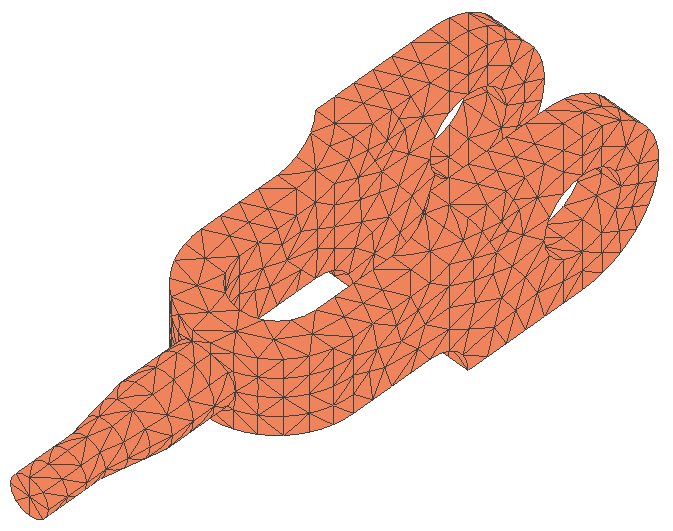
(Stress Analysis of a Tool) |
|
Analysis Space: 3D
The number of meshes: 2681
Simulation time: 2min 25sec |

Supplementary: Model Creation from a Result File of Femtet
When creating a model from a Femtet result file (file extension is .pdt),
the supported analysis conditions are as follows.
-
Analysis space: 3D / 2D / Axisymmetric
-
Model unit: m / mm / μm
A model can be created from the deformed meshes as well.
-
The file extension of the deformed meshes is pdt. The file contains the mesh data after deformation in the stress analysis.
The file is saved in the folder named [Project Name.Results], which is at the same location as the project file.
-
A model cannot be created if the deformed meshes contain square pyramid, triangular prism, or hexahedron.
(With the usual pdt files, model creation is possible even though these elements are contained.)
Supplementary: Model Creation from Mesh Data in Nastran and Neutral Formats
When creating a model from the mesh data in Nastran and Neutral Formats,
the supported analysis conditions are as follows.
-
Analysis space: 3D and 2D (the axisymmetric analysis is not supported)
-
Model unit: m / mm / μm
See below for the details of the data.
|
File Format |
Data Used |
|
Nastran (.nas, .bdf, .dat) |
Femtet uses BulkData section only. All the other sections will be ignored.
Items which can be used in Femtet are as follows.
- GRID (Nodes) - TEMP (Boundary condition) *Equivalent item to node temperature which is set in Nastran. - SPC (Boundary condition) *Equivalent item to node constraint which is set in Nastran.
**Used only in 3D** - CTETRA (Tetrahedron 4-node or 10-node elements) - CPYRAM (5- or 13-node square pyramid elements) - CPENTA (Triangular prism 6-node or 15-node elements) - CHEXA (Hexahedron 8-node or 20-node elements) - PSOLID (Shaping properties of solid elements)
**Used only in 2D** - CTRIA3 (3-node triangular elements) - CTRIA6 (6-node triangular elements) - CQUAD4 (4-node rectangular elements) - CQUAD8 (8-node rectangular elements) - PSHELL (Shaping properties of shell elements)
|
|
Neutral (.neu) |
The data blocks below are used.
- ID 402 Properties (only Property ID is used) - ID 403 Nodes (node information) - ID 404 Elements (element information)
**Used only in 3D** - Tetra4 (4-node tetrahedron elements) - Tetra4 (10-node tetrahedron elements) - Brick8 (8-node hexahedron elements) - Brick20 (20-node hexahedron elements) - Wedge6 (6-node triangular prism elements) - Wedge15 (15-node triangular prism elements) - Pyramid5 (5-node square pyramid elements) - Pyramid13 (13-node square pyramid elements)
**Used only in 2D** - Tri3 (3-node triangular elements) - Tri6 (6-node triangular elements) - Quad4 (4-node rectangular elements) - Quad8 (8-node rectangular elements)
|
- Nastran is a registered trademark of NASA.