Home / Modeling / Auxiliary Tools / Calculate Distance/Angle
Calculate Distance/Angle
The distance and angle across topologies are calculated.
The procedure is as follows.
How to calculate the distance
-
On the [Model] tab, go to  and click [Calculate Distance/Angle] and click [Calculate Distance/Angle]  . .
|
|
|
-
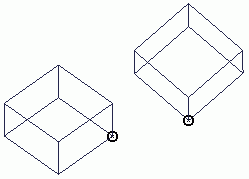
Select two topologies.
|
|
-
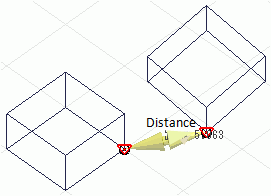
The distance and the vector for the selected topologies will be shown on the window.
|
|
|
-
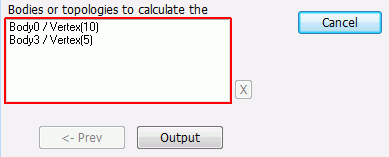
Click  in the parameter input dialog box. in the parameter input dialog box.
The output window will list the distance, its coordinates of the startpoint and endpoint,
and the difference between the coordinates (distance of X, Y, Z components).
|

|
How to calculate the distance between the selected 2 points.
-
On the [Model] tab, go to and click [Calculate Distance across Points]  . .
|
|
|
-
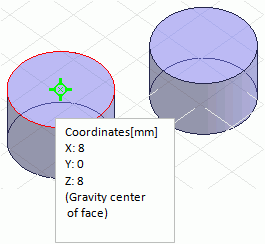
Specify the coordinates of the two points to calculate the distance. The distance across the gravity centers of the bodies can be calculated as the snap mode is active.
|
|
-
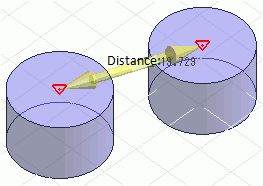
The distance and the vector for them will be shown on the window.
|
|
|
-
Click in the parameter input dialog box.
The output window will list the distance, its coordinates of the startpoint and endpoint,
and the difference between the coordinates (distance of X, Y, Z components).
|

|
How to calculate the angle
-
On the [Model] tab, go to and click [Calculate Distance/Angle] .
|
|
|
-
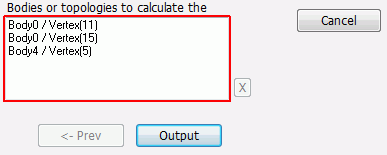
Select the topologies for the calculation.
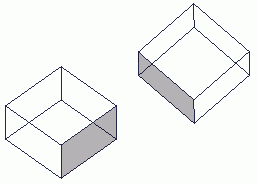
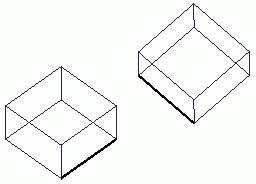
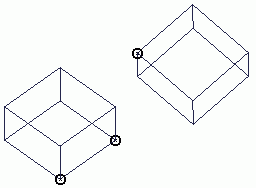
The angle can be calculated for the topologies listed in the right.
The unit is [degree].
|
Two faces
Two edges
Three points
|
-
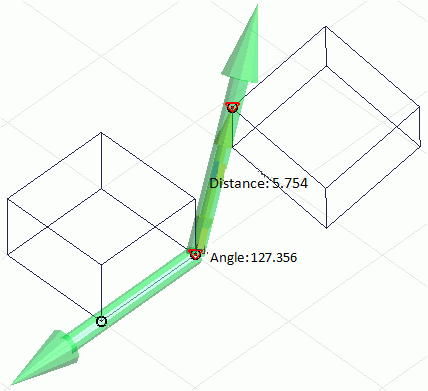
The angle formed by the specified topologies will be shown on the window.
|
|
|
-
Click in the parameter input dialog box.
The output window will list the angle.
|

|


