


|
Home / How to Create Project / New Analysis Model Creation / How to Create 2D/Axisymmetric Analysis Model from 3D Model
How to Create 2D/Axisymmetric Analysis Model from 3D Model
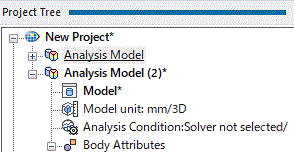
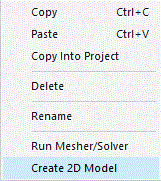
2D or axisymmetric analysis models can be created from 3D models.
See [Review the Model], where the advantage of 2D/axisymmetric analysis is explained.
In this process,
the body attributes, the material properties and the boundary conditions are inherited from the original model.
Note that the boundary conditions are inherited as imprinting body.
Procedure
|
|
|
|
|
|
|
|
List for Setting Items
|
Items |
Notes |
|
Analysis Type |
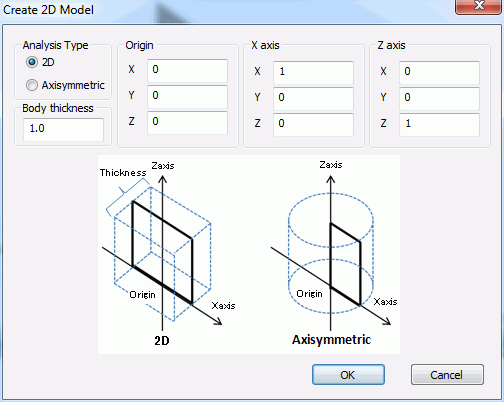
Specifies the analysis type. See [Review the Model] for the features of each type.
|
|
Body thickness |
Specifies the body thickness. You can change the thickness of individual bodies after the 2D analysis model is created.
|
|
Origin |
Specifies the coordinates of the origin. |
|
X axis |
Specifies the coordinates of a point on X axis. |
|
Z axis |
Specifies the coordinates of a point on Z axis. |