Home / How to Create Project / New Analysis Model Creation / Copy Analysis Model into Project
Copy Analysis Model into Project
How to Copy an Existing Analysis Model into Project
-
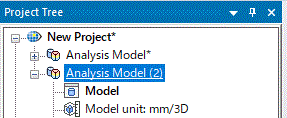
On the project tree, select the analysis model name that you want to copy.
|
|
-
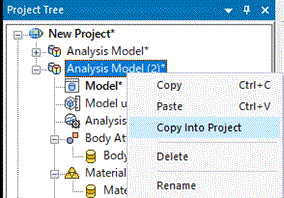
Right click on it and click [Copy into Project].
|
|
-
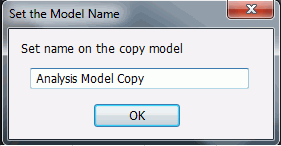
Type an analysis model name after the copy, and click OK.
|
|
-
The 2D/axisymmetric analysis model will be created and opened automatically.
|
|
How to Copy an Existing Analysis Model into Project (While Editing)
In an analysis model where the results exist, if the editing is done which affects the results, you can copy the analysis model on the spot.
-
Edit the model which already has the analysis results.
|
|
-
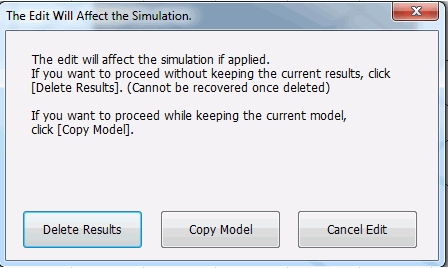
A message of [The Edit Will Affect the Simulation] will show up. Click [Copy Model].
|
|
-
Type an analysis model name after the copy, and click OK.
|
|
-
The 2D/axisymmetric analysis model will be created and opened automatically.
|
|


