


|
Home / How to Create Project / Variable
Variables
Variables can be set for the dimensions, analysis conditions, material properties etc.
They need to be registered beforehand.
Variables are registered/edited/deleted on the project tree.
Variables in the analysis model
Variables are defined and registered for each analysis model.
They are analysis-model specific and cannot be referred to in other analysis models even if they are in the same project.
In the same model, the variables can commonly be referred to for the dimensions and various conditions.
-
Femtet is not case-sensitive.
How to use the variables
|
|
|
|
|
 under the analysis model on the Project Tree and select
  .
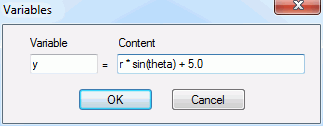
.
Other operations are as follows.
|
Operation |
Notes |
|
Edit variables |
Edits selected item in the formula. The variables whose counter is not 0 cannot be edited during the sketching. |
|
Delete variables |
Deletes unnecessary variables. To delete dimension variables, their counters have to be 0. |
|
Highlight History of Used Variables |
See [Highlight History of Used Variables] for the details. |
Characters for variables
|
Locations |
Characters Allowed |
|
Head character |
Only English alphabetic characters are allowed. <Unsupported characters>
|
|
Characters following head |
English alphabet characters and the following are allowed.
|
Note: It is not allowed to use a name completely same as the name of functions/operators reserved for formula. No differentiation between uppercase letters and lowercase letters.