|
Home / Show Results / Various Viewing Operations / How to Speed up the Results Display
How to Speed up the Results Display
The display speed tends to slow down if the number of meshes exceeds hundreds of thousands. That can be improved as follows.
On the [Results] tab, go to

Click [Graphics Setup]  .
.
Contour Diagram
|
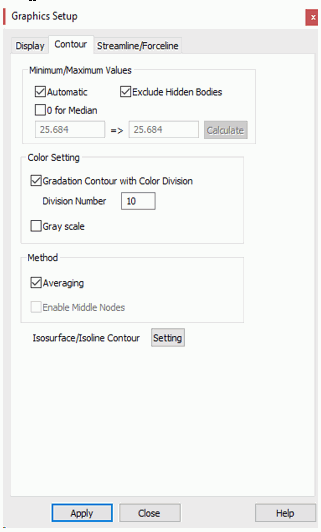
Go to [Contour] tab,
and deselect [Enable middle nodes]. The display speed will be faster even though the display quality is degraded due to the lack of middle nodes.
|
Vector Diagram
|
Go to [Vector] tab,
and deselect [3D vector]. The display speed will be faster as the vector shape is simplified.
Selecting Grids or Thin out at Display will also speed up the display speed.
3D Vectors
Simplified Vectors
|